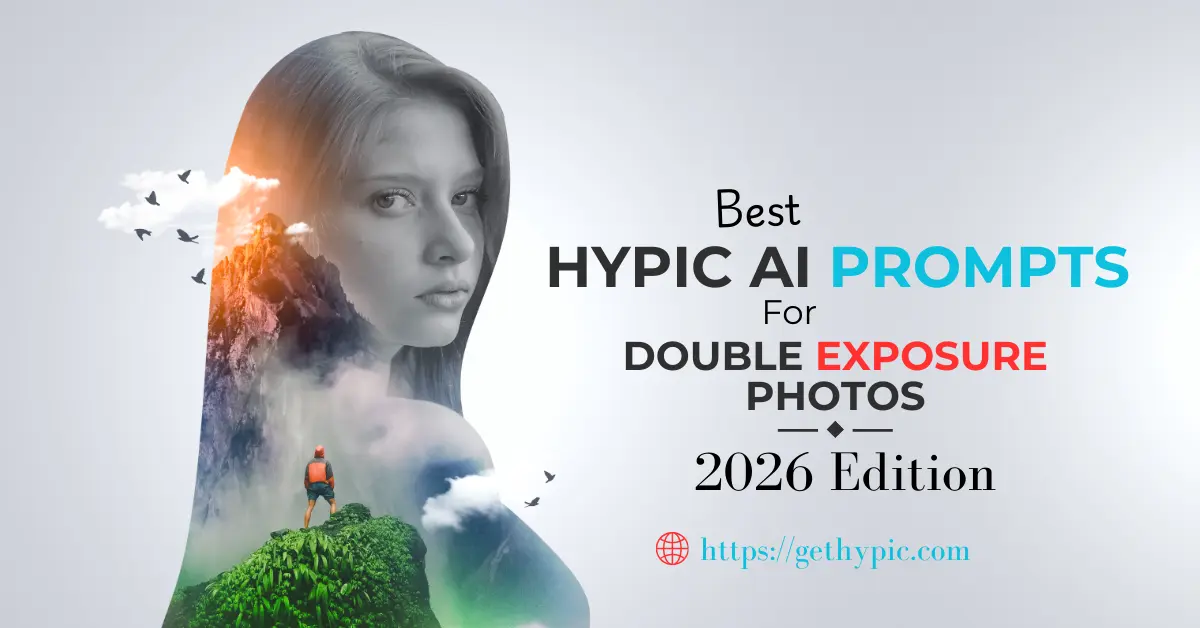
Best Hypic AI Prompts for Double Exposure Photos (2026 Edition)
Are you trying to create creative and cinematic double exposure photos in the Hypic app but don’t know which AI prompts to use?
You are in the right place!
In this guide, you will find the best Hypic AI prompts for double exposure editing. You can simply copy and paste these prompts directly into the Hypic app. With these ready-to-use prompts, you can easily create professional, artistic, and eye-catching double exposure images in just a few seconds.
Whether you are a beginner or an experienced editor, these prompts will help you give your photos a unique and creative look.
What Are Hypic Double Exposure Prompts?
Hypic double exposure prompts are simple text instructions that help the AI understand how to mix two images together.
These prompts help you control different things, like:
✔ Editing style
✔ Lighting effects
✔ Mood of the photo
✔ Color tone
✔ Final creative look
When you use the right prompt, even a normal photo can turn into a creative and cinematic artwork.
Good prompts make editing easy, fast, and more professional.
Best Hypic AI Double Exposure Prompts
Below are categorized prompts for different styles and moods.
Cinematic Double Exposure Prompts
Use these prompts for movie-style professional results:
- “Cinematic double exposure portrait, teal and orange tones, soft bokeh lights, dramatic lighting, high contrast, professional film look”
- “Moody cinematic double exposure, urban background, neon lights, realistic color grading, sharp details”
- “Movie style double exposure effect, dark shadows, cinematic mood, high-end photography style”
- “Professional cinematic portrait blended with city skyline, dramatic tones, film style lighting.”
Nature Style Double Exposure Prompts
Perfect for creative and peaceful edits:
- “Double exposure portrait with forest background, soft green tones, natural lighting, dreamy effect”
- “Nature and human silhouette blend, mountains and sky overlay, artistic style”
- “Double exposure with ocean waves, calm mood, smooth blending, natural colors”
- “Portrait merged with sunset landscape, warm colors, cinematic nature art”
Urban & City Style Prompts
Great for modern and stylish edits:
- “City skyline double exposure, night lights, urban vibe, professional photography look”
- “Street photography double exposure, neon signs, cinematic urban style”
- “Modern city buildings blended with portrait, creative urban art”
- “Night cityscape double exposure, glowing lights, high contrast effect”
Abstract Artistic Prompts
For more creative and experimental looks:
- “Abstract shapes double exposure, colorful gradients, artistic digital art style”
- “Creative double exposure with light leaks and color splashes”
- “Futuristic abstract double exposure, glowing particles, modern art”
- “Surreal double exposure effect, dreamy colors, fantasy style”
Portrait + Landscape Prompts
Perfect for social media profile photos:
- “Portrait blended with mountain landscape, cinematic travel style”
- “Silhouette double exposure with sunset sky, soft warm tones”
- “Face portrait merged with waterfall scene, natural artistic blend”
- “Traveler portrait double exposure with clouds and horizon”
Best Settings to Use with These Prompts
To get the best results, use these recommended settings in Hypic:
| Setting | Recommended Value | Result |
|---|---|---|
| Opacity | 50–70% | Balanced blending |
| Blend Mode | Overlay / Lighten | Natural merge |
| Contrast | +10 to +20 | Cinematic depth |
| Saturation | −5 to +5 | Realistic colors |
Pro Tips to Get Better Results
Creating stunning double exposure images requires attention to detail and proper editing techniques. Follow these expert tips to make your photos look more professional and visually appealing:
- Use High-Quality Images – Start with clear, high-resolution photos for the best results.
- Choose Simple Backgrounds – Avoid busy backgrounds to ensure the subject stands out.
- Keep Lighting Consistent – Matching lighting across images helps blend them naturally.
- Avoid Over-Editing – Don’t overuse filters or effects; subtlety makes the photo look realistic.
- Use Matching Color Tones – Harmonized colors enhance the overall aesthetic of the double exposure.
- Experiment with Multiple Prompts – Try different AI prompts and compare results to find the most creative output.
By following these steps, even beginners can create cinematic, eye-catching double exposure photos that look professional and polished.
Common Mistakes to Avoid in Double Exposure Editing
If you are new to double exposure photography, avoiding certain mistakes can make a big difference in the quality of your edits. Here are the most common errors beginners make:
- Using Low-Resolution Images – Blurry or low-quality photos reduce the clarity of your final edit.
- Choosing Busy Backgrounds – Overcrowded backgrounds can distract from the main subject.
- Setting Opacity Too High – Too much opacity can make images look unrealistic and messy.
- Mixing Completely Different Color Tones – Inconsistent colors can ruin the visual harmony.
- Mixing Completely Different Color Tones – Inconsistent colors can ruin the visual harmony.
By avoiding these common mistakes, you can create clean, polished, and professional double exposure photos that look visually appealing and realistic.
Why Hypic Is the Best App for Double Exposure Editing
Creating stunning double exposure photos can be challenging with traditional editing apps, but Hypic AI makes it simple, fast, and professional. Here’s why Hypic stands out:
- Smooth Image Blending – Combine multiple images seamlessly without harsh edges or mismatched overlays.
- Smooth Image Blending – Combine multiple images seamlessly without harsh edges or mismatched overlays.
- Fast and Accurate Processing – Get professional-quality edits in minutes without complex steps.
- No Professional Skills Required – Beginners can easily create cinematic double exposure effects.
- High-Quality Output – Hypic delivers sharp, clean, and visually appealing final images every time.
With these features, even new users can produce eye-catching, professional double exposure edits in just a few minutes, making Hypic one of the best tools for creative photography.
Final Thoughts
Using the right AI prompts can completely transform your Hypic double exposure edits. With the prompts shared above, you can easily create:
- Cinematic portraits
- Artistic designs
- Creative social media posts
- Professional-looking photo art
Simply copy the prompts, paste them into Hypic, and experiment to see the best results.
If you want to learn the full step-by-step process of creating double exposure images, make sure to check our detailed guide:
How to Create Stunning AI Double Exposure in Hypic – Step-by-Step Guide
Open Hypic today and start creating amazing AI double exposure photos that stand out on social media and beyond!
Useful Guides
- Hypic Portrait Prompts (2026 Edition)
- Hypic Nature & Travel Prompts
- Hypic Mod APK (Latest 2026 Version)
- Hypic for PC – Download Guide