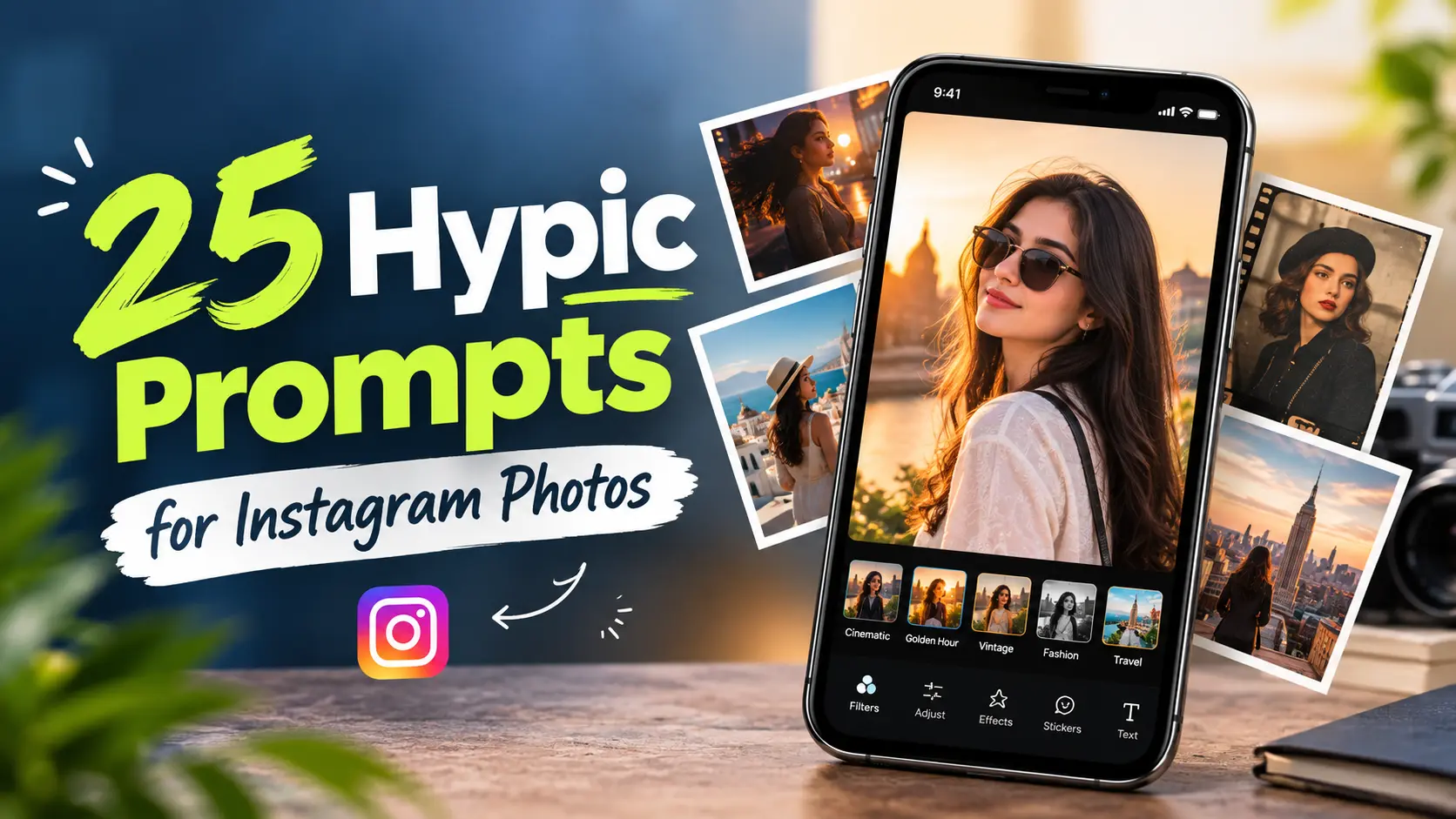
25 Best Hypic Prompts for Instagram Photos
Want to give your Instagram photos a more polished and creative look? Hypic prompts can help you create cinematic portraits, aesthetic travel photos, stylish fashion edits, vintage looks, and other social-media-ready styles without completely changing the original image.
Instead of adjusting every setting manually, you can describe the look you want by mentioning details such as lighting, background, colors, mood, contrast, and overall style. A clear prompt can help guide the edit while keeping important details of the original photo natural.
In this guide, you’ll find 25 Hypic prompts for Instagram photos covering different portrait, lifestyle, travel, fashion, and creative styles. You can copy a prompt as it is or make small changes to match your photo.
If you’re mainly looking for portrait and selfie ideas, you can also explore our Hypic portrait prompts for more face-focused editing ideas.
How to Use Hypic Prompts for Instagram Photos
Before using a prompt, start with a reasonably clear photo where the main subject is visible. A heavily compressed or blurry image may give you less useful material to work with.
Then:
- Open your photo in Hypic.
- Choose the AI editing feature available in your version that supports the type of transformation you want.
- Enter or paste a suitable prompt.
- Generate the result and check the changes carefully.
- If the edit looks too strong, adjust the prompt and ask for a more subtle or realistic result.
You don’t have to use a prompt exactly as written. For example, you can change warm lighting to cool lighting, replace a city background with a beach background, or ask Hypic to preserve more of the original details.
Note: Hypic’s available tools and features can vary between app versions, so the exact editing options may not be identical on every device.
25 Best Hypic Prompts for Instagram Photos
1. Cinematic Instagram Portrait
A good starting point for portraits when you want a polished cinematic appearance without making the face look artificial.
Transform this photo into a cinematic Instagram portrait with soft directional lighting, natural skin texture, subtle film grain, rich contrast, and a clean blurred background. Keep the facial features realistic and recognizable.
Best for: Outdoor portraits, profile photos, and lifestyle shots.
For more movie-inspired editing ideas, check out our Hypic cinematic prompts guide.
2. Luxury Instagram Look
Use this prompt when you want a more sophisticated editorial appearance while keeping the original person recognizable.
Give this photo a premium luxury editorial look with elegant lighting, refined contrast, realistic skin texture, subtle background blur, and a sophisticated atmosphere. Keep the person natural and recognizable.
Best for: Fashion, lifestyle, and personal-brand photos.
3. Aesthetic Soft Portrait
This style works well when you want a lighter and softer Instagram aesthetic.
Create a soft aesthetic portrait with gentle natural lighting, warm highlights, subtle shadows, clean colors, and a smooth but realistic background. Keep the skin texture natural and preserve the original facial features.
Best for: Casual portraits and lifestyle photography.
4. Golden Hour Instagram Photo
Ideal for outdoor photos that would benefit from a warm sunset atmosphere.
Transform this photo into a warm golden-hour portrait with soft sunset light, natural golden highlights, gentle shadows, warm tones, and a slightly blurred background. Keep the face and clothing realistic.
Best for: Outdoor portraits, travel photos, and sunset shots.
5. Professional Instagram Portrait
Use this prompt for a cleaner and more polished portrait style.
Enhance this portrait with professional studio-style lighting, balanced skin tones, subtle contrast, a clean background, and sharp natural details. Keep the person’s face realistic without changing their identity.
Best for: Profile pictures, creator photos, and professional social-media profiles.
6. Street Style Photo
A useful option for casual urban photography.
Turn this photo into a stylish urban street portrait with cinematic city lighting, realistic shadows, subtle contrast, modern color grading, and a natural city background. Keep the person and clothing realistic.
Best for: Streetwear, city portraits, and urban lifestyle photos.
7. Instagram Fashion Editorial
Give a fashion photo a magazine-inspired appearance without losing realistic details.
Transform this image into a modern fashion editorial photo with controlled studio lighting, elegant color grading, crisp clothing details, subtle shadows, and a premium magazine-style atmosphere. Keep the person realistic.
Best for: Fashion photography and outfit posts.
8. Moody Portrait
For a darker and more dramatic Instagram look.
Create a moody cinematic portrait with soft low-key lighting, deeper shadows, controlled highlights, muted colors, and subtle film grain. Preserve natural skin texture and keep the facial features recognizable.
Best for: Dramatic portraits and evening photography.
9. Bright Clean Instagram Photo
Choose this when you want a fresh, bright, and minimal appearance.
Enhance this photo with bright natural lighting, clean colors, soft contrast, balanced highlights, and a fresh minimal aesthetic. Keep the skin texture realistic and avoid excessive smoothing.
Best for: Lifestyle photos, portraits, and daytime photography.
10. Travel Instagram Look
A simple way to give a travel photo a more polished finish.
Turn this travel photo into a polished Instagram travel image with vibrant but natural colors, balanced sunlight, enhanced environmental details, subtle depth, and a clean cinematic finish. Keep the person and surroundings realistic.
Best for: Vacation photos, sightseeing, and outdoor travel shots.
11. Beach Sunset Photo
Use this for seaside photos where you want to emphasize the warm atmosphere.
Transform this beach photo into a cinematic sunset scene with warm natural sunlight, soft golden reflections, realistic sky colors, gentle contrast, and a relaxed Instagram aesthetic. Preserve the person’s natural appearance.
Best for: Beach vacations and sunset photography.
12. Night City Portrait
Designed for urban photos captured after dark.
Create a cinematic night-city portrait with realistic street lights, subtle neon reflections, deep but detailed shadows, natural skin tones, and a slightly blurred background. Keep the person’s face sharp and recognizable.
Best for: City nightlife, street photography, and evening portraits.
13. Vintage Film Instagram Photo
Give a modern photo a subtle film-inspired appearance.
Give this photo a subtle vintage film aesthetic with warm tones, gentle grain, slightly faded colors, soft contrast, and natural lighting. Keep the person and important details realistic.
Best for: Lifestyle photos and nostalgic Instagram feeds.
If you want a more specific retro look, see our guide on how to create vintage Polaroid photos in Hypic.
14. 90s Camera Style
For a casual nostalgic look inspired by older consumer cameras.
Transform this photo into a nostalgic 1990s camera-style image with natural flash, subtle film grain, slightly muted colors, realistic imperfections, and a casual candid feeling. Keep the original person recognizable.
Best for: Candid portraits, parties, and casual photos.
15. Minimalist Instagram Portrait
A clean option for simple and uncluttered social-media photography.
Create a minimalist portrait with a clean background, soft natural lighting, balanced colors, subtle shadows, and realistic skin texture. Keep the composition simple and the person’s facial features unchanged.
Best for: Profile photos and minimal Instagram feeds.
16. Black and White Portrait
A classic style for creating a more timeless portrait.
Convert this portrait into an elegant black-and-white editorial image with rich tonal contrast, detailed shadows, soft highlights, and natural skin texture. Keep the face realistic and recognizable.
Best for: Editorial portraits and dramatic photography.
17. Soft Pastel Aesthetic
Use this prompt when you want a lighter, softer color palette.
Give this photo a soft pastel aesthetic with gentle lighting, subtle pastel tones, smooth color transitions, light contrast, and a clean background. Preserve realistic skin texture and natural facial features.
Best for: Lifestyle, fashion, and soft aesthetic photos.
18. Luxury Car Instagram Photo
A good option for automotive lifestyle photography.
Enhance this photo into a premium automotive lifestyle image with cinematic lighting, realistic reflections, controlled contrast, rich colors, and a sophisticated urban atmosphere. Keep the person and car details natural.
Best for: Car photography, automotive posts, and lifestyle content.
19. Coffee Shop Aesthetic
Create a cozy lifestyle appearance for café and indoor photos.
Transform this image into a cozy coffee-shop lifestyle photo with warm ambient lighting, natural shadows, soft colors, realistic textures, and a relaxed Instagram aesthetic. Keep the person and environment authentic.
Best for: Café photos, lifestyle content, and casual portraits.
20. Rainy Cinematic Photo
Use this style when you want a more atmospheric and dramatic result.
Create a cinematic rainy atmosphere with realistic wet surfaces, soft reflections, subtle overcast lighting, cool tones, and natural contrast. Keep the person, clothing, and facial features realistic.
Best for: Street portraits, city photography, and moody scenes.
21. Romantic Couple Photo
A simple option for couple and relationship photography.
Enhance this couple photo with warm cinematic lighting, soft background blur, natural skin tones, subtle romantic color grading, and an authentic atmosphere. Keep both people recognizable and preserve their natural appearance.
Best for: Couple portraits, dates, and special moments.
22. Wedding Instagram Portrait
For wedding and formal-event photos that need a polished editorial finish.
Transform this wedding photo into an elegant editorial portrait with soft flattering lighting, refined colors, natural skin texture, subtle background blur, and a premium wedding photography aesthetic. Keep both people realistic and recognizable.
Best for: Wedding portraits and formal event photography.
23. Sunset Silhouette
This prompt works well when the composition already includes a strong sunset or backlit subject.
Create a cinematic sunset atmosphere with warm orange and golden tones, a detailed sky, natural light falloff, and a subtle silhouette effect. Keep the original composition and make the result look realistic.
Best for: Beach sunsets, outdoor portraits, and creative photography.
24. Professional Creator Photo
Useful for creators who want a polished social-media profile image.
Enhance this portrait into a polished creator profile photo with clean professional lighting, realistic skin texture, balanced colors, subtle background blur, and a modern social-media aesthetic. Keep the person’s identity unchanged.
Best for: Creators, influencers, freelancers, and personal brands.
25. Modern Instagram Portrait
A versatile option when you want a current social-media aesthetic without making the image look overly edited.
Give this photo a modern Instagram-ready aesthetic with cinematic lighting, natural skin texture, balanced contrast, subtle background depth, clean color grading, and a polished but realistic finish. Keep the person’s facial features and identity unchanged.
Best for: General Instagram portraits, profile photos, and lifestyle posts.
Tips for Better Results With Hypic Prompts
A good prompt doesn’t need to be extremely long. It should clearly describe the visual result you want while giving the editor enough information about important elements such as lighting, background, colors, and mood.
Be Specific About the Lighting
Instead of simply saying “make it better,” describe the lighting you want.
For example:
- Soft natural light
- Golden-hour lighting
- Studio lighting
- Cinematic low-key lighting
- Warm ambient light
Specific lighting instructions can make the intended style clearer.
Keep Skin Texture Natural
For portraits, avoid instructions that encourage excessive skin smoothing. Asking for natural skin texture and a polished but realistic finish can help preserve the character of the original photo.
If a result changes the face too much, you can also add:
Preserve the original facial structure and identity.
Describe the Background
If the background is important to the final look, mention it directly.
You can ask for a:
- Blurred city background
- Clean studio background
- Sunset environment
- Coffee-shop setting
- Minimal background
If you want to create or extend a background beyond the original frame, you can also explore our guide to Hypic AI Expand prompts.
Don’t Overdo the Effects
A heavily edited image can sometimes lose the qualities that made the original photo appealing.
If the result looks too artificial, try adding words such as:
- Natural
- Subtle
- Realistic
- Preserve the original details
- Keep the original composition
You can also reduce the number of visual changes requested in the prompt.
Start With the Original Photo
The source image matters. A reasonably clear photo with the subject visible generally gives you more useful material to work with than a heavily compressed, extremely dark, or very blurry image.
Before applying a strong transformation, try starting with a clean version of the original photo and compare the result afterward.
Adjust the Prompt Instead of Starting Over
You don’t always need to completely replace a prompt when the result isn’t right.
For example, if a cinematic portrait looks too dark, you can change:
deeper shadows
to:
soft shadows with balanced exposure
If the background becomes too strong, add:
Keep the background subtle and keep the subject as the main focus.
Small changes can make a prompt more suitable for a particular photo.
If describing the desired look with text isn’t enough, you can also learn how to use reference photos in Hypic to give the AI a visual example.
Final Thoughts
These Hypic prompts for Instagram photos cover a range of styles, from cinematic portraits and fashion edits to travel, vintage, wedding, automotive, and lifestyle photography.
You don’t need to use every prompt exactly as written. Start with the style that matches your photo, then adjust the lighting, colors, background, or mood to suit the result you’re looking for.
The most useful edits usually enhance the original image rather than completely changing it. Keeping the subject recognizable, preserving natural details, and using effects in moderation can help your Instagram photos feel polished without looking overly processed.