What’s New in Hypic v9.1.0? Complete Feature Breakdown (2026)
Quick Answer
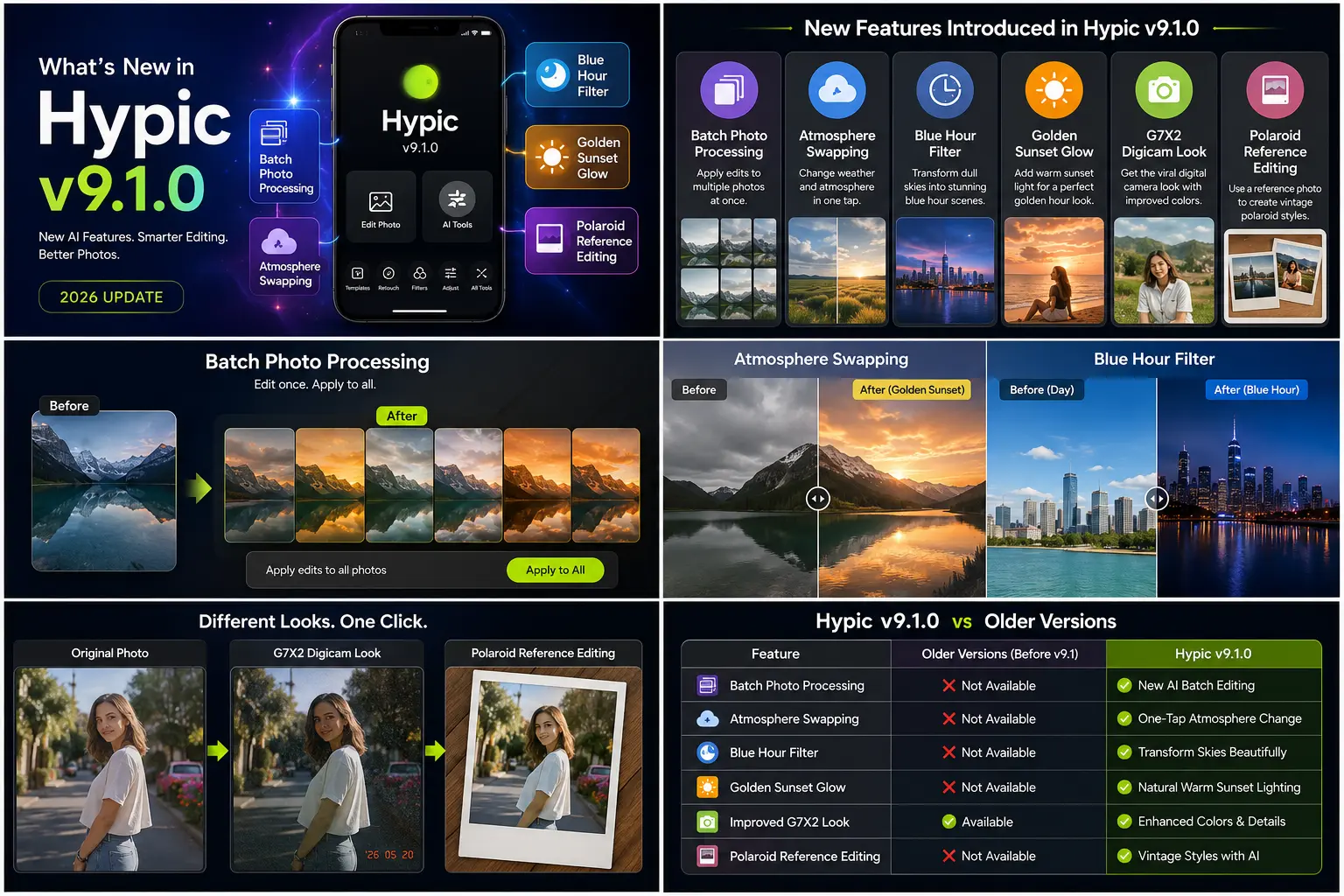
If you’ve recently updated to Hypic v9.1.0, you’ll notice several AI-powered editing tools designed to make photo editing faster and more realistic. The biggest additions include Batch Photo Processing, Atmosphere Swapping, Blue Hour Filter, Golden Sunset Glow, and Polaroid Reference Editing, along with improvements to the popular G7X2 Digicam Look and AI performance. These features help creators edit multiple photos consistently, transform lighting conditions with a single tap, and recreate trending camera aesthetics without needing professional editing skills.
What’s New in Hypic v9.1.0?
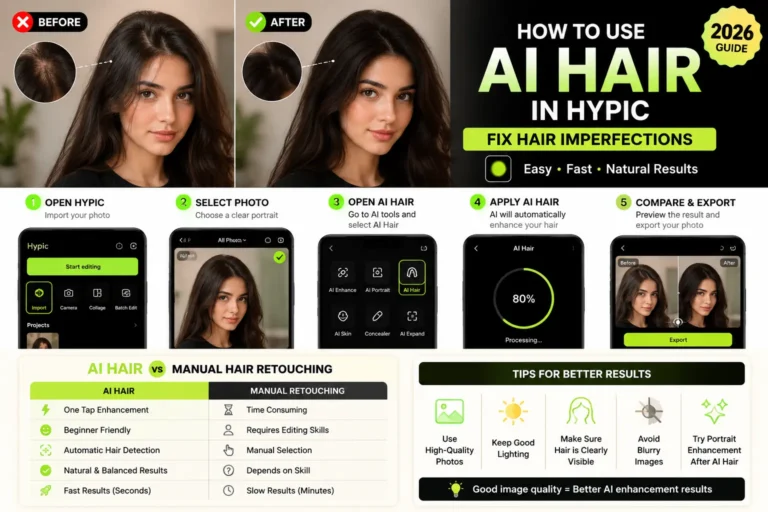
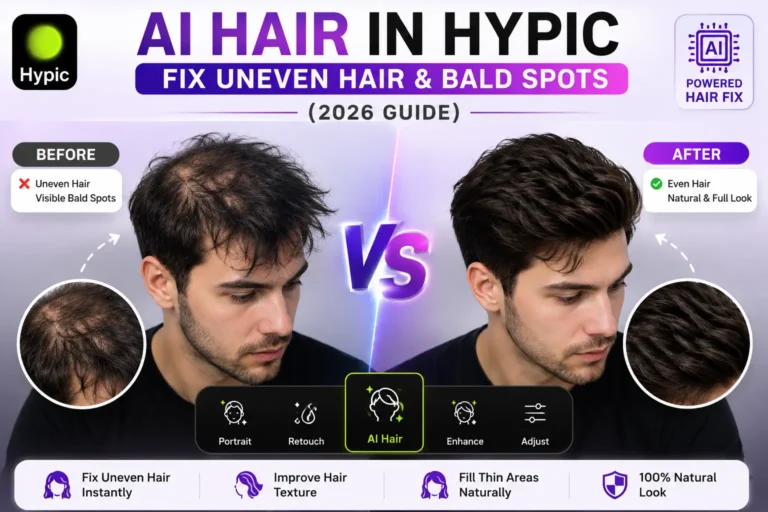
Hypic continues to evolve from a simple photo editor into a complete AI-powered creative platform. While previous updates focused on tools like AI Flash, AI Hair, AI Skin Glow, AI Replace, and the viral G7X2 Digicam Look, version 9.1.0 introduces several workflow improvements that make editing faster and more flexible.
Instead of adding only cosmetic filters, this update focuses on solving real editing challenges. You can now edit multiple photos at once, change the mood of an image by replacing its atmosphere, recreate cinematic lighting automatically, and generate vintage-inspired edits with minimal effort.
Whether you’re creating Instagram content, editing travel photos, or preparing images for TikTok, the latest version reduces the amount of manual editing required while delivering more consistent results.
Some of these features are entirely new, while others expand the capabilities of tools introduced in earlier versions. Together, they make Hypic one of the most feature-rich AI photo editors available in 2026.
New Features Introduced in Hypic v9.1.0
The latest version introduces a combination of creative filters, AI-powered enhancements, and productivity tools. Here’s a quick overview of what’s new.
| Feature | What It Does | Best For |
|---|---|---|
| Batch Photo Processing | Edit multiple photos using the same settings | Creators, influencers, photographers |
| Atmosphere Swapping | Replace weather and environmental conditions | Landscape and travel photography |
| Blue Hour Filter | Turn dull skies into professional blue-hour scenes | Cityscapes and outdoor photography |
| Golden Sunset Glow | Apply warm sunset lighting automatically | Portraits and lifestyle photos |
| Polaroid Reference Editing | Recreate vintage Polaroid color styles | Retro and aesthetic edits |
| Improved G7X2 Digicam Look | Better digital camera simulation | TikTok and Instagram aesthetics |
These additions focus on both creativity and efficiency, allowing users to achieve professional-looking edits in less time.
Feature 1: Batch Photo Processing
One of the most practical additions in Hypic v9.1.0 is Batch Photo Processing. Until now, users had to edit each image individually, even when they wanted every photo to have the same style.
With the new batch editing workflow, you can apply identical adjustments, filters, and presets to multiple images in one session. This is especially useful for creators who want a consistent look across an Instagram carousel, travel album, or product catalog.
Instead of repeating the same editing steps over and over, Hypic automatically copies your selected adjustments to every photo you choose.
Best use cases
- Instagram carousel posts
- Travel photo collections
- Product photography
- Fashion shoots
- Wedding galleries
- Social media content planning
For content creators, this feature can save a significant amount of editing time while helping maintain a recognizable visual style across different platforms.
Feature 2: Atmosphere Swapping
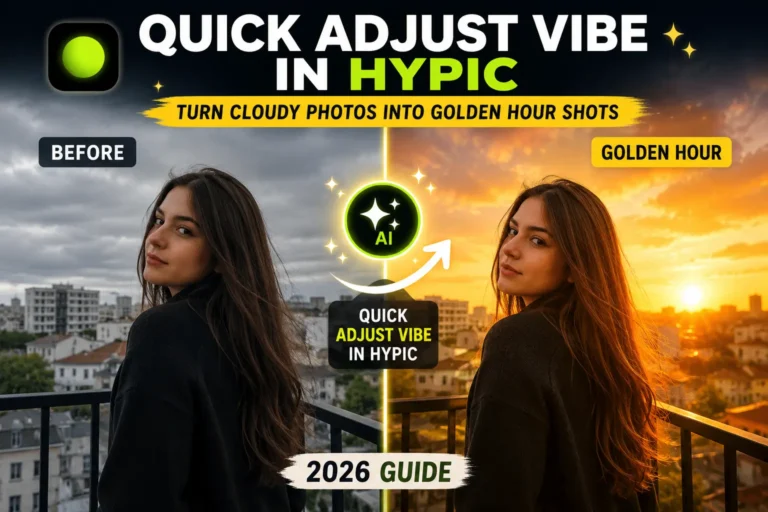
Lighting and weather often determine whether a photo feels ordinary or visually striking. The new Atmosphere Swapping tool allows you to replace or enhance environmental conditions with just a few taps.
Instead of manually adjusting colors, exposure, highlights, and sky tones, the AI analyzes the entire scene and creates a more natural atmosphere based on the selected style.
For example, an overcast landscape can be transformed into a bright sunny afternoon, while a dull travel photo can gain more vibrant skies and balanced lighting.
Unlike traditional sky replacement tools that only modify the background, Atmosphere Swapping also adjusts the overall mood of the image so the lighting feels more believable.
Ideal for
- Travel photography
- Landscape images
- Outdoor portraits
- Vacation memories
- Nature photography
The AI works best when the original image has a clear subject and visible outdoor elements, giving it enough context to generate realistic environmental changes.
Feature 3: Blue Hour Filter
The Blue Hour Filter is designed for photographers who love the calm, cinematic look that appears shortly after sunset.
Normally, capturing authentic blue-hour photos requires perfect timing and favorable weather conditions. Hypic simplifies this process by recreating the cool blue tones and balanced lighting associated with twilight.
Instead of making the image look artificially blue, the AI adjusts the sky, shadows, and overall color temperature while preserving important details.
This feature works particularly well with:
- City skylines
- Streets at night
- Waterfront scenes
- Architecture
- Urban photography
When used appropriately, the Blue Hour Filter adds a premium cinematic feel without requiring advanced editing knowledge.
Feature 4: Golden Sunset Glow
Golden hour is one of the most sought-after lighting conditions in photography, but it only lasts for a short time each day. If you miss it, recreating the same warm tones manually can take a lot of editing.
The new Golden Sunset Glow feature in Hypic v9.1.0 uses AI to simulate the soft, warm lighting typically seen during sunset. Instead of simply adding an orange filter, it intelligently adjusts highlights, shadows, skin tones, and the surrounding environment to create a more natural golden-hour effect.
This feature works particularly well for:
- Portrait photography
- Outdoor lifestyle shots
- Travel photos
- Couple photography
- Beach photography
Because the AI analyzes the entire scene, the lighting appears more balanced than traditional color filters.
Feature 5: Polaroid Reference Editing
Vintage photography continues to trend across Instagram, TikTok, and Pinterest, and Hypic now makes it easier to recreate that nostalgic look.
The new Polaroid Reference Editing feature lets you use a reference image to guide the editing style. Instead of manually adjusting colors and tones, the AI analyzes the reference and applies a similar mood to your own photo.
It can help recreate:
- Classic Polaroid colors
- Retro film aesthetics
- Soft vintage tones
- Warm nostalgic edits
- Instant camera-inspired looks
Unlike traditional reference photos, the new Polaroid Reference Editing feature automatically adapts vintage tones to your image.
Improved G7X2 Digicam Look
One of Hypic’s most popular features—the G7X2 Digicam Look—has also received improvements in version 9.1.0.
The latest update produces more balanced colors, improved lighting transitions, and a cleaner digital camera aesthetic that closely resembles the look of classic compact cameras.
If you’ve already used the G7X2 effect, you may notice:
- More natural skin tones
- Better highlight recovery
- Improved color depth
- Reduced over-processing
- More realistic digital camera feel
These refinements make the effect even more suitable for creators who want the trending “digicam” style without needing expensive camera equipment.
Overall Performance Improvements
Beyond the headline features, Hypic v9.1.0 also includes several smaller improvements that enhance the editing experience.
Users may notice:
- Faster AI processing speeds
- Smoother editing performance
- Improved stability during large edits
- Better consistency across AI tools
- Faster export times on supported devices
While these updates aren’t always immediately visible, they contribute to a more reliable editing workflow, especially for users who edit multiple photos regularly.
Should You Update to Hypic v9.1.0?
If you’re already using Hypic, updating to version 9.1.0 is worthwhile—especially if you frequently edit photos for social media.
You should consider updating if you:
- Edit multiple photos every week
- Create Instagram or TikTok content
- Like vintage camera aesthetics
- Frequently enhance outdoor photos
- Want faster AI-powered editing
However, if you’re satisfied with your current workflow and don’t need the latest AI tools, older versions may still cover your basic editing needs.
For most creators, though, the new features improve both editing speed and creative flexibility, making the update a practical choice.
Pros and Cons
Pros
- Powerful AI-powered editing tools
- Faster editing workflow with batch processing
- New cinematic lighting effects
- Improved vintage editing capabilities
- Better G7X2 camera simulation
- Cleaner user experience
- Excellent for content creators
Cons
- Some features may require internet access
- AI-generated results can vary depending on the original image
- Older devices may process AI edits more slowly
Frequently Asked Questions
What is the biggest new feature in Hypic v9.1.0?
The standout addition is Batch Photo Processing, which allows you to apply the same edits to multiple images simultaneously. Other notable features include Atmosphere Swapping, Blue Hour Filter, Golden Sunset Glow, and Polaroid Reference Editing.
Does Hypic v9.1.0 improve the G7X2 effect?
Yes. The latest update refines the G7X2 Digicam Look with improved color accuracy, smoother lighting transitions, and a more realistic compact camera aesthetic.
Is Batch Photo Processing free?
Availability may vary depending on your version of Hypic and whether certain premium AI features require a subscription.
Which new feature is best for Instagram creators?
Batch Photo Processing is ideal for maintaining a consistent feed, while Golden Sunset Glow and Blue Hour Filter are excellent for creating visually appealing content.
Is it worth updating to Hypic v9.1.0?
For most users, yes. The update introduces practical AI tools that save editing time and expand creative possibilities without significantly changing the overall interface.
Final Verdict
Hypic v9.1.0 isn’t just another routine update—it introduces several meaningful improvements that make everyday editing faster and more creative. Features like Batch Photo Processing, Atmosphere Swapping, Blue Hour Filter, Golden Sunset Glow, and Polaroid Reference Editing provide tools that appeal to both beginners and experienced creators.
Combined with refinements to the popular G7X2 Digicam Look and overall performance improvements, this version offers a more complete editing experience than previous releases. If you regularly create content for Instagram, TikTok, or other social platforms, updating to Hypic v9.1.0 is a worthwhile step.