When Should You Avoid Using AI Flash?
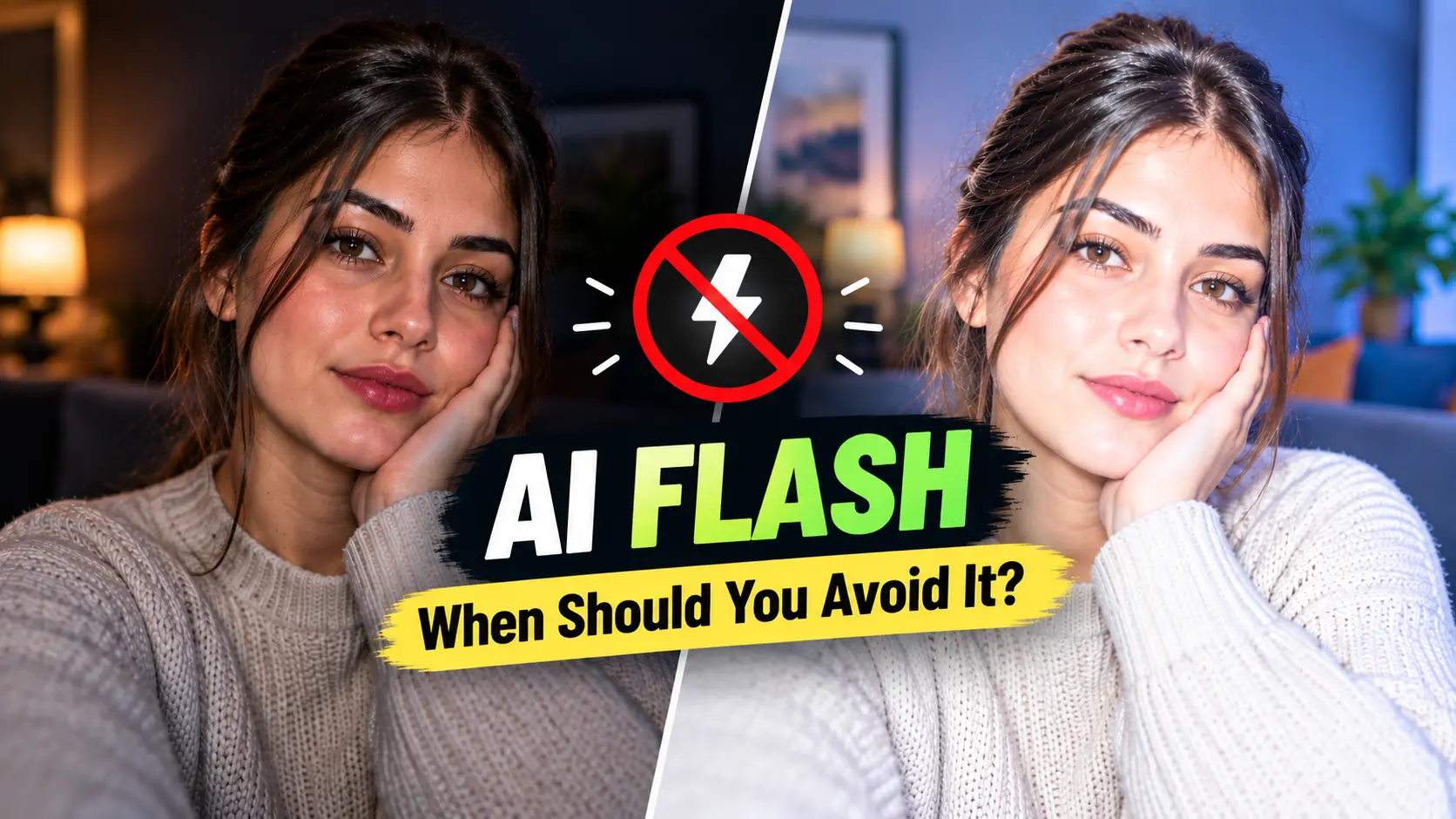
Hypic AI Flash can help brighten dark photos and improve visibility when a picture has poor lighting. It can be useful for indoor selfies, evening portraits, and other images that appear too dark. However, brighter does not always mean better.
Some photos need only a small exposure adjustment, while others require accurate details, natural skin tones, or precise manual control. Applying an automatic enhancement without checking the result may produce an image that looks different from what you intended.
Knowing when to avoid AI Flash can help you choose the right editing method, preserve important details, and get more natural-looking results.
In this guide, you will learn when Hypic AI Flash may not be the best choice, what to check before using it, and which alternatives to consider for different photography needs.
What Is AI Flash in Hypic?
AI Flash is an AI-powered photo enhancement feature designed to improve the appearance of dark or poorly lit images. It can help make subjects more visible without requiring you to adjust every lighting setting manually.
For example, you might use it on an indoor selfie, a portrait taken in dim lighting, or a photo where the subject appears too dark compared with the background.
However, the result depends on the original image and the feature’s processing. Brightening a photograph cannot always recover details that were never captured clearly. A very dark, blurry, or noisy image may still need additional adjustments.
If you want to understand how AI Flash compares with another enhancement tool, read our guide to AI Flash vs Remini.
1. Avoid AI Flash When You Want to Preserve Natural Lighting
Not every dark photograph needs to become bright. In some images, shadows and low-light conditions contribute to the atmosphere, depth, and overall appearance.
For example, a portrait taken in a dimly lit café may look attractive because of its soft shadows and warm lighting. Brightening the entire image too much could make it look flat or remove the mood you wanted to preserve.
AI Flash may be less suitable when your goal is to maintain the original lighting rather than make the subject more visible.
If you want to improve a dark photo without losing control over the final look, learn how to use AI Flash in Hypic and compare the results before saving your image.
What to use instead: Adjust exposure, highlights, shadows, and brightness manually. Make small changes and compare the edited photo with the original before saving it.
2. Avoid It When Facial Details Must Remain Accurate
Portraits require a careful balance between visibility and realism. When enhancing a dark selfie or headshot, you may want to brighten the face without changing its natural appearance.
Depending on the image and processing, AI enhancement may produce unwanted changes in skin texture, fine details, or the appearance of facial features.
This matters when editing professional headshots, family photographs, or pictures where an authentic representation of the person is important.
What to use instead: Begin with subtle lighting corrections. If you need to remove a small blemish, use a targeted retouching tool rather than applying unnecessary edits to the entire face. Inspect the eyes, hairline, skin texture, and other fine details at full size.
3. Avoid AI Flash for Documents, Records, and Evidence
Photographs used for documentation may need to represent the original scene accurately. This includes images of property damage, product defects, official records, and other situations where visual details matter.
An AI-powered enhancement can change the appearance of an image, and some generative tools may reconstruct details rather than simply adjust lighting. The extent of these changes depends on the tool and the processing involved.
For example, if you photograph a crack in a wall to document damage, you should not rely on an AI-generated result as the sole representation of the original condition.
What to use instead: Keep the original file unchanged. If a brighter copy is necessary, use a separate version and choose adjustments that preserve the details relevant to the task. Follow any applicable requirements for documentation or evidence, and disclose edits when required.
4. Avoid It When You Need Precise Manual Control
AI Flash is designed to simplify enhancement, but automatic processing may not give you the exact control you need over individual parts of a photograph.
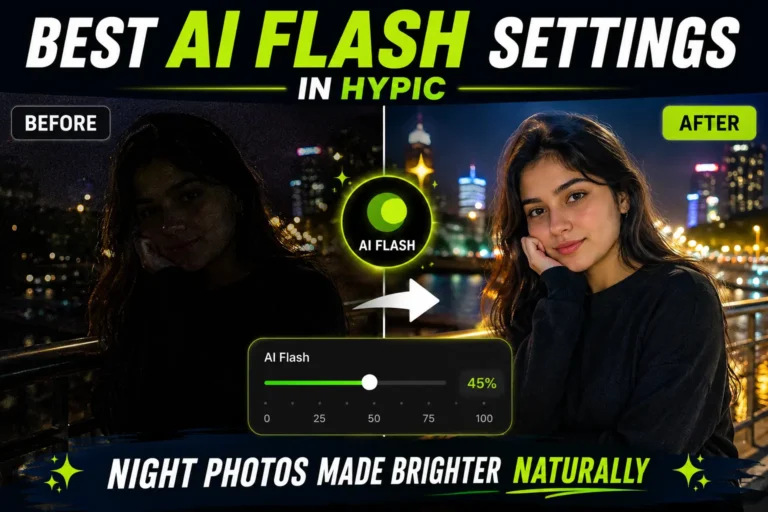
For better results in low-light conditions, explore the best AI Flash settings for night photos to understand how to improve visibility while keeping the image looking natural.
Imagine that you want to brighten a person’s face while keeping the surrounding room dark. An automatic enhancement may not deliver the precise balance you had in mind.
Similarly, a nighttime photograph may contain bright streetlights, dark buildings, and a subject standing between them. Each area may require a different adjustment.
What to use instead: Use selective adjustments, masks, or a manual brush when available. These tools let you target specific areas and make more controlled changes to the image.
5. Avoid It When Your Photo Already Looks Good
A well-exposed photograph with balanced colors and visible details may not need additional enhancement.
Applying AI Flash simply because the feature is available can introduce changes without solving a real problem. The image might become too bright, lose its original atmosphere, or look different from the scene you photographed.
Before editing, ask yourself what actually needs improvement.
What to use instead: Review the original image first. If the lighting, subject visibility, and colors already meet your needs, leave the photograph unchanged. If only one area needs improvement, make a targeted adjustment instead of applying an unnecessary overall enhancement.
6. Avoid It When the Photo Contains Important Fine Details
Some photographs contain delicate details that need to remain clear, such as hair strands, fabric textures, small objects, reflections, or intricate background elements.
Brightening a dark image may make the subject easier to see, but it does not guarantee that every fine detail will remain accurate. Existing noise, blur, and limited image quality can also affect the result.
For instance, a nighttime portrait may include strands of hair against a dark background. After enhancement, inspect whether those edges still look natural.
What to use instead: Work from the highest-quality original file available. Compare the enhanced version with the original and zoom in on important details. If the result looks artificial or introduces unwanted artifacts, reduce the adjustment or try a more controlled editing method.
7. Avoid It When Product Colors and Branding Must Stay Accurate
Product photography often requires consistent colors, textures, and visual details. This is especially important for online stores, catalog images, and promotional materials.
A lighting enhancement may be helpful when a product photo is too dark. However, you should not assume that the edited colors perfectly represent the real product.
For example, a dark photograph of a blue shirt may become easier to view after enhancement, but its displayed color should still be checked against the original product and the intended brand presentation.
What to use instead: Use controlled exposure and white balance adjustments. Compare the result with the original photograph and, when possible, a reliable reference for the actual product. Follow your client’s or platform’s image requirements.
8. Avoid It When You Cannot Accept Unexpected Results
Automatic photo enhancement can be convenient, but the outcome may vary depending on the image, lighting conditions, and processing used.
A photo with extremely deep shadows, strong highlights, motion blur, or visible noise may not improve as much as you expect. An enhancement can make the image brighter without fully restoring lost information.
This can be frustrating when you are working on an important portrait or preparing a photograph for professional use.
What to use instead: Test AI Flash on a duplicate of the original photo. Compare both versions before deciding which looks better. If the enhanced image contains unwanted changes, undo the edit and try a different approach.
Keeping the original also makes it easier to experiment with other editing methods without losing your starting point.
If you are considering other ways to enhance your photos, read our comparison of AI Flash vs Google Magic Editor to explore how different editing tools may suit your needs.
9. Avoid Uploading Sensitive Photos Without Checking Privacy
Before using any AI-powered photo editor, consider how your images may be processed.
Depending on the app and feature, image processing may happen locally on your device or involve remote servers. Data retention, permissions, and privacy practices can also differ between services.
This is worth considering when editing private family photographs, confidential business images, or pictures that contain sensitive information.
What to do instead: Review the application’s current privacy policy and permissions before using it with sensitive images. Check whether the feature uploads photos and understand the applicable data-handling practices. Do not assume that all AI editing features process images in the same way.
What Should You Use Instead of AI Flash?
The best alternative depends on what you want to achieve. AI Flash may be convenient for quick lighting enhancement, while manual adjustments and targeted editing tools may be more appropriate for specific tasks.
| Your editing goal | Better approach |
|---|---|
| Brighten only a small area | Use selective brightness or exposure adjustments |
| Preserve a natural low-light atmosphere | Make subtle manual lighting changes |
| Retouch a small facial blemish | Use a targeted retouching tool |
| Maintain accurate documentary details | Keep the original and avoid generative alterations |
| Control lighting across different areas | Use masks or selective adjustments |
| Improve a dark product photo | Adjust exposure and white balance carefully |
| Experiment with different results | Edit a duplicate and compare versions |
If you are exploring more editing options, visit our Hypic comparisons to find guides that compare different tools and editing approaches.
The goal is not to avoid AI Flash completely. It is to use it when automatic enhancement supports your objective and choose another method when accuracy, realism, or control matters more.
How to Decide Whether AI Flash Is Right for Your Photo
Before applying AI Flash, ask yourself these five questions:
- Does the photo actually need brightening? If it already looks balanced, additional enhancement may not help.
- Must the original details remain unchanged? Be cautious with images used for documentation or professional records.
- Do I need control over individual areas? Selective adjustments may work better than an automatic effect.
- Am I comfortable with the privacy implications? Check how the application handles uploaded images.
- Can I compare the result with the original? Keep a separate copy so you can reverse unwanted changes.
If you are unsure, test the feature on a duplicate image first. Compare the brightness, shadows, skin tones, and fine details before deciding whether to keep the result.
Frequently Asked Questions
Should I use AI Flash on every photo?
No. AI Flash is most useful when a photograph needs lighting enhancement. If the image already looks balanced or requires only a small adjustment, manual editing or leaving it unchanged may be a better choice.
Can AI Flash make a photo look unnatural?
It can, depending on the original image and the enhancement applied. A result that is too bright or visually inconsistent with the original may look unnatural. Compare the edited version with the source image before saving it.
Is AI Flash suitable for professional photography?
It can be useful for quick lighting adjustments, but suitability depends on the assignment. Professional portraits, product photographs, and documentary images may require greater control and verification than an automatic enhancement provides.
Can AI Flash recover details from a completely dark photo?
Not necessarily. Enhancement may improve visibility, but details that were never captured or are severely degraded cannot always be recovered accurately. The result depends on the original image and the processing used.
Should I keep the original photo before using AI Flash?
Yes. Keeping an untouched original lets you compare results, undo unwanted changes, and try other editing methods without losing the source image.
Is AI Flash safe for private photos?
Privacy depends on the application, feature, and its data-handling practices. Review the current privacy policy and permissions, especially before using an editing service with sensitive photographs.
Final Thoughts
Hypic AI Flash can be a helpful option when you need to brighten dark photographs quickly. However, automatic enhancement is not always the best choice for every image.
Consider avoiding it when you want to preserve a natural low-light atmosphere, maintain accurate details, exercise precise manual control, or meet strict professional requirements. You should also consider privacy before processing sensitive photographs.
Start with the original image, identify the problem you want to solve, and choose the simplest editing method that meets your needs. If you decide to use AI Flash, compare the result with the original and check the important details before saving.
The best edit is not the brightest photo. It is the photo that achieves your goal without sacrificing the details, realism, or accuracy that matter.