AI Flash vs Google Magic Editor: Which AI Photo Editor Is Better?
AI photo editing has made it much easier to improve pictures without spending a lot of time adjusting individual settings. A dark portrait, distracting background, or poorly framed subject can often be improved with just a few taps.
Hypic and Google Photos take very different approaches to AI-powered photo editing.
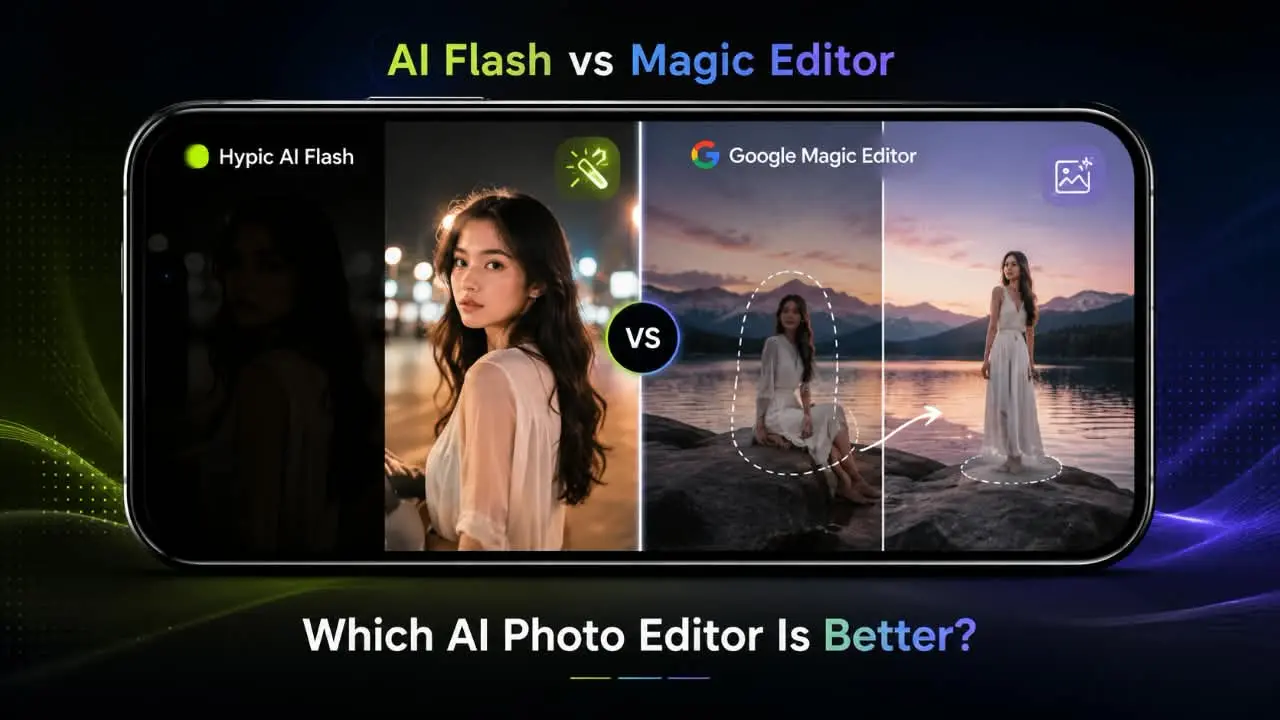
Hypic’s AI Flash focuses mainly on improving lighting, making it useful for dark portraits, selfies, indoor photos, and other low-light images. Google Magic Editor takes a broader approach, allowing users to make more significant AI-assisted changes to their photos, including repositioning subjects and modifying parts of a scene.
So, which one is better?
AI Flash is the better choice when lighting is the main problem. Google Magic Editor is the better choice when you want broader AI editing or need to make larger changes to an image.
The right option ultimately depends on what you want to change.
AI Flash vs Google Magic Editor at a Glance
| Feature | Hypic AI Flash | Google Magic Editor |
|---|---|---|
| Main purpose | Improve lighting and brightness | Broader AI-powered photo editing |
| Best for | Dark and low-light photos | Creative and structural changes |
| Lighting improvement | Main focus | Available through Google Photos editing features |
| Object removal | Not its main purpose | Google Photos offers relevant AI tools |
| Subject repositioning | Not its main purpose | Yes |
| Composition changes | Limited | Yes |
| Generative editing | Focused mainly on lighting | Yes |
| Ease of use | Simple for lighting fixes | Designed for broader edits |
| Best suited to | Quick lighting improvements | More advanced AI editing |
Quick Answer
Choose AI Flash if your photo is too dark or the subject needs better lighting. Choose Google Magic Editor if you want to reposition a subject, change the composition, or make broader AI-powered edits.
For removing unwanted objects, Google Photos’ Magic Eraser is the more directly relevant tool.
The easiest way to remember the difference is:
AI Flash improves the light. Magic Editor changes the image.
What Is Hypic AI Flash?
Hypic AI Flash is an AI-powered lighting feature designed to improve photos when the lighting is not ideal.
Instead of manually adjusting brightness, exposure, shadows, and other controls, a focused AI lighting feature can help make a photo look more balanced with less effort.
If you are new to Hypic, you can also explore the Hypic app to learn more about the editor and its available features.
AI Flash can be useful for:
- Dark indoor photos
- Nighttime portraits
- Dimly lit selfies
- Underexposed faces
- Social media photos that need a quick lighting improvement
- Photos where the subject appears darker than the surroundings
Its biggest advantage is specialization.
If your photo already has a good composition and the main issue is that it looks too dark, you may not need a full generative editing workflow.
What Makes AI Flash Useful?
AI Flash is most useful when you want to improve the existing photo rather than dramatically change what is inside it.
For example, imagine taking a portrait in a restaurant. The background looks fine, but the person’s face is too dark.
In that situation, a lighting-focused feature makes more sense than using a tool designed for major compositional changes.
The goal is simple:
Keep the basic composition and improve the lighting.
For users who prefer editing on an iPhone or iPad, you can also explore Hypic for iOS and see how the app fits into a mobile editing workflow.
What Is Google Magic Editor?
Google Magic Editor is a broader AI editing feature available through Google Photos.
Google introduced Magic Editor as a generative-AI editing experience designed to make more complicated photo edits easier for everyday users. Instead of requiring professional editing skills, users can make larger changes with an AI-assisted workflow.
One of its notable capabilities is allowing users to reposition subjects and generate parts of an image needed to make the new composition work.
This makes Magic Editor fundamentally different from a lighting-focused feature.
Rather than concentrating on one type of correction, Magic Editor is designed for broader image transformation.
The exact features available can vary depending on the device, account, app version, and Google’s current feature availability.
Magic Editor vs Magic Eraser: What’s the Difference?
Magic Editor and Magic Eraser are related Google Photos AI editing tools, but they are designed for different jobs.
Magic Editor is intended for broader generative edits, including changes to subjects, composition, and parts of a scene.
Magic Eraser is more directly focused on removing unwanted people or objects from a photo.
For example:
- Want to reposition a subject? Magic Editor
- Want to change the composition? Magic Editor
- Want to make a broader AI-assisted edit? Magic Editor
- Want to remove a distracting object? Magic Eraser
- Want to improve a dark portrait? A lighting-focused tool such as AI Flash may be more appropriate
This distinction is important because the comparison is primarily between Hypic AI Flash’s focused lighting approach and Google Magic Editor’s broader editing capabilities.
If you want to explore more Hypic-related comparisons, you can also browse the site’s Hypic comparisons section.
AI Flash vs Magic Editor: What’s the Main Difference?
The biggest difference is simple:
AI Flash focuses on lighting, while Magic Editor focuses on broader image editing.
Imagine you took a portrait at night. The person’s face is too dark, but the composition looks good.
In that situation, AI Flash is the more focused solution because lighting is the main issue.
Now imagine the same photo has a distracting person in the background, your subject is positioned too far to one side, and you want to change the composition.
That is where Magic Editor becomes much more useful.
AI Flash: Improve the Light
AI Flash makes the most sense when:
- The photo is too dark
- A face needs better illumination
- You are editing a low-light portrait
- The composition is already good
- You want a quick lighting improvement
- You do not want to manually adjust several controls
Its objective is generally to improve the existing image without making major structural changes.
Magic Editor: Change the Image
Magic Editor is better suited to more significant edits.
It can be useful when you want to:
- Reposition a subject
- Change the framing
- Modify parts of a scene
- Make larger AI-assisted changes
- Generate missing areas after changing the composition
- Experiment with creative edits
Its main advantage is flexibility rather than specialization.
Which One Is Better for Low-Light Photos?
For photos where lighting is the main problem, AI Flash is the more focused choice.
Consider a nighttime selfie where your face looks underexposed. If the background and composition are already fine, you probably do not need to move objects or reconstruct parts of the scene.
A dedicated AI lighting feature can be more convenient for this type of edit.
Magic Editor belongs to a much broader editing category, so using it solely for a simple lighting problem may offer more functionality than you actually need.
Best for lighting-focused edits: AI Flash
If you want to explore more Hypic-related tutorials and editing techniques after using AI Flash, the site’s Hypic blog is a useful place to find additional guides.
Which One Is Better for Removing Objects?
For removing unwanted objects or people, Google Photos has the advantage because it offers dedicated AI editing tools for this purpose.
Magic Eraser is specifically designed to help remove unwanted distractions from photos.
For example, if someone accidentally appears in the background of a vacation photo, an object-removal feature is much more appropriate than a lighting-focused tool.
Magic Editor is useful for broader changes, but Magic Eraser is the more directly relevant Google tool when simple object removal is the goal.
Best for object removal: Google Photos’ Magic Eraser
Which One Is Better for Changing Composition?
Google Magic Editor is the stronger choice for composition changes.
One of the key ideas behind Magic Editor is making larger changes possible without requiring traditional editing skills.
For example, if your subject is positioned too far to one side, a generative editing workflow can help reposition the subject and create additional image content needed by the new composition.
This goes beyond what a lighting-focused feature such as AI Flash is designed to do.
Best for composition changes: Magic Editor
Which One Is Easier to Use?
Both tools are designed to simplify photo editing, but they make different types of editing easier.
AI Flash is especially straightforward when you have one specific problem: poor lighting.
Instead of adjusting multiple controls manually, you can use a focused AI feature to help improve the illumination.
Magic Editor is also designed for people without professional editing experience. However, because it offers broader capabilities, there can be more decisions involved when making a complex edit.
So the answer depends on what you are trying to accomplish.
Best for quick lighting fixes: AI Flash
Best for broader AI editing: Magic Editor
AI Flash vs Google Magic Editor for Social Media Photos
For social media photos, the better option depends on the type of content you create.
If you mainly post:
- Selfies
- Night portraits
- Indoor photos
- Low-light lifestyle pictures
- Casual portraits
then AI Flash can be useful when lighting is the main issue.
However, if your photos often require more creative changes, Magic Editor provides greater flexibility.
For example, you might want to:
- Remove an unwanted person
- Reposition a subject
- Adjust the composition
- Modify part of a scene
- Make a larger AI-assisted edit
In those situations, a broader editing tool is more suitable.
For users who prefer working from a Windows computer, the dedicated Hypic for PC guide can also be useful for exploring desktop-related options.
AI Flash vs Magic Editor: Image Quality
Image quality depends on the original photo and the type of edit being performed.
A lighting enhancement generally has a straightforward objective: improve the appearance of the existing image while keeping its basic content intact.
Generative editing is different.
When an AI editor moves a subject or changes part of a scene, it may need to generate image content that was not visible in the original photograph.
That can produce impressive results, but generated areas may vary depending on the original image and the complexity of the edit.
For a more focused lighting improvement, AI Flash is the more appropriate type of tool.
For creative changes that require reconstruction or modification of image content, Magic Editor provides capabilities that a lighting-focused feature cannot replace.
A Better Way to Compare Image Quality
Rather than asking which tool always produces better quality, ask what kind of edit you are making.
- Lighting problem: AI Flash has the more focused approach.
- Composition problem: Magic Editor is better suited.
- Object-removal problem: Magic Eraser is more directly designed for the job.
- Large creative changes: Magic Editor provides broader capabilities.
This makes the comparison more useful than declaring one tool the winner in every situation.
Which Editor Gives You More Creative Control?
For overall AI editing capability, Google Magic Editor is the broader option.
Its purpose is not limited to lighting. It is designed to support more significant changes to a photo.
AI Flash has a different advantage: focus.
A specialized tool can be more convenient when you already know exactly what needs to be fixed.
If the problem is simply that a portrait is too dark, having a broad collection of editing features may not provide much additional value.
For users looking for more creative workflows inside Hypic, Hypic prompts can also provide ideas for experimenting with AI-assisted edits.
Best for broader creative editing: Google Magic Editor
Best for focused lighting edits: AI Flash
AI Flash vs Magic Editor: Best Choice by Use Case
| Use Case | Better Choice | Why |
|---|---|---|
| Dark selfie | AI Flash | Focused on improving lighting |
| Night portrait | AI Flash | Suited to lighting-focused edits |
| Dim indoor photo | AI Flash | Addresses the main lighting problem |
| Remove unwanted person | Magic Eraser | Designed for object removal |
| Move a subject | Magic Editor | Supports broader compositional edits |
| Change composition | Magic Editor | Better suited to structural changes |
| Creative AI edits | Magic Editor | Offers broader editing capabilities |
| Quick lighting fix | AI Flash | Focused and simple workflow |
| Advanced AI editing | Magic Editor | More flexible for larger changes |
The decision is therefore fairly simple:
If the problem is light, start with AI Flash. If the problem is the image’s composition or structure, Magic Editor is the better fit.
When Should You Use AI Flash?
Choose AI Flash when:
- Your photo is too dark.
- The subject’s face needs more light.
- You are editing a nighttime portrait.
- You have a dim indoor photo.
- You want a quick lighting improvement.
- The composition is already good.
- You do not want to spend time adjusting several settings manually.
AI Flash is particularly useful when lighting is the main thing that needs fixing.
If you’re using a different release of Hypic and looking for compatibility information, you can also check the available older versions of Hypic.
When Should You Use Google Magic Editor?
Magic Editor makes more sense when:
- You want to reposition a subject.
- You want to make a larger compositional change.
- You need generative AI editing.
- You want to modify part of a scene.
- You want more creative flexibility.
- Your edit goes beyond basic lighting correction.
For simple object removal, Google Photos also provides tools such as Magic Eraser, so choose the feature based on the exact edit you need.
Can You Use AI Flash and Google Photos Together?
Yes. You do not necessarily have to choose one tool for every photo.
A practical workflow could be:
Step 1: Improve the lighting of a dark portrait with AI Flash.
Step 2: Open the edited image in Google Photos.
Step 3: Use an appropriate Google Photos AI editing feature if you need to remove a distraction or make another change.
This approach works because the tools solve different problems.
AI Flash can handle the lighting, while Google’s broader editing tools can handle additional changes.
The exact workflow and available features can vary depending on the app version, device, and account.
Hypic AI Flash: Pros and Cons
Pros
- Focused on lighting improvement
- Useful for dark and low-light photos
- Simple workflow
- Well suited to portraits and selfies
- Can reduce the need for manual lighting adjustments
Cons
- Not designed to replace a full AI editor
- Less useful when composition is the main problem
- Not intended for complex object manipulation
- Its main strength is lighting rather than broad image transformation
Google Magic Editor: Pros and Cons
Pros
- Broader generative AI editing
- Useful for significant image changes
- Can support subject repositioning
- Works within the Google Photos editing ecosystem
- Designed to make advanced edits more accessible
Cons
- More functionality than necessary for a simple lighting fix
- Generative results can vary depending on the image
- Some AI features may have device, account, or availability requirements
- More complex edits can require additional steps
Frequently Asked Questions
Is AI Flash better than Google Magic Editor?
It depends on what you are editing. AI Flash is better suited to lighting-focused improvements, while Google Magic Editor is better for broader AI-powered changes such as composition and subject adjustments.
Which is better for night photography, AI Flash or Magic Editor?
If the main problem is that the subject or face looks too dark, AI Flash is the more focused option. If the photo also needs compositional or structural changes, Magic Editor may be more useful.
Can Google Magic Editor improve dark photos?
Google Photos includes several editing tools that can help improve photos, but Magic Editor itself is designed for broader generative editing rather than being a dedicated lighting feature.
Is Magic Editor the same as Magic Eraser?
No. Magic Editor is designed for broader AI-assisted edits, while Magic Eraser focuses more directly on removing unwanted people and objects.
Can I use AI Flash and Google Photos together?
Yes, if your workflow supports both. You can use a lighting-focused feature first and then use Google Photos for additional AI editing. The exact available features depend on your device, app version, and account.
Which is better for social media photos?
For quick improvements to dark selfies and portraits, AI Flash is a practical choice. For creative edits, object removal, repositioning, and composition changes, Google Magic Editor offers more flexibility.
AI Flash vs Google Magic Editor: Final Verdict
There is no universal winner because the two tools are designed for different editing goals.
Choose Hypic AI Flash if your main goal is to improve lighting.
It is a good fit for dark selfies, nighttime portraits, indoor photos, and other images where the composition is already good but the subject needs better illumination.
Choose Google Magic Editor if you want broader AI-powered editing.
It is better suited to repositioning subjects, changing compositions, making larger edits, and experimenting with creative image transformations.
For removing unwanted objects, Google Photos’ Magic Eraser is the more directly relevant choice.
If you want to explore more Hypic tutorials, comparisons, prompts, and editing guides, you can continue through the site’s Hypic blog.
The simplest way to remember the difference is:
AI Flash improves the light; Magic Editor changes the image.
Quick Recommendation
| Category | Best choice |
|---|---|
| Best for lighting | AI Flash |
| Best for low-light portraits | AI Flash |
| Best for quick lighting fixes | AI Flash |
| Best for composition changes | Magic Editor |
| Best for subject repositioning | Magic Editor |
| Best for broader AI editing | Magic Editor |
| Best for creative control | Magic Editor |
| Best for object removal | Magic Eraser |
Ultimately, the better editor depends on the problem you are trying to solve.
You do not need a broad generative AI editor for every dark photo, just as a lighting-focused feature cannot replace a full AI editing workflow when you need to change the composition.
For better lighting, choose AI Flash. For broader AI photo editing, choose Google Magic Editor.