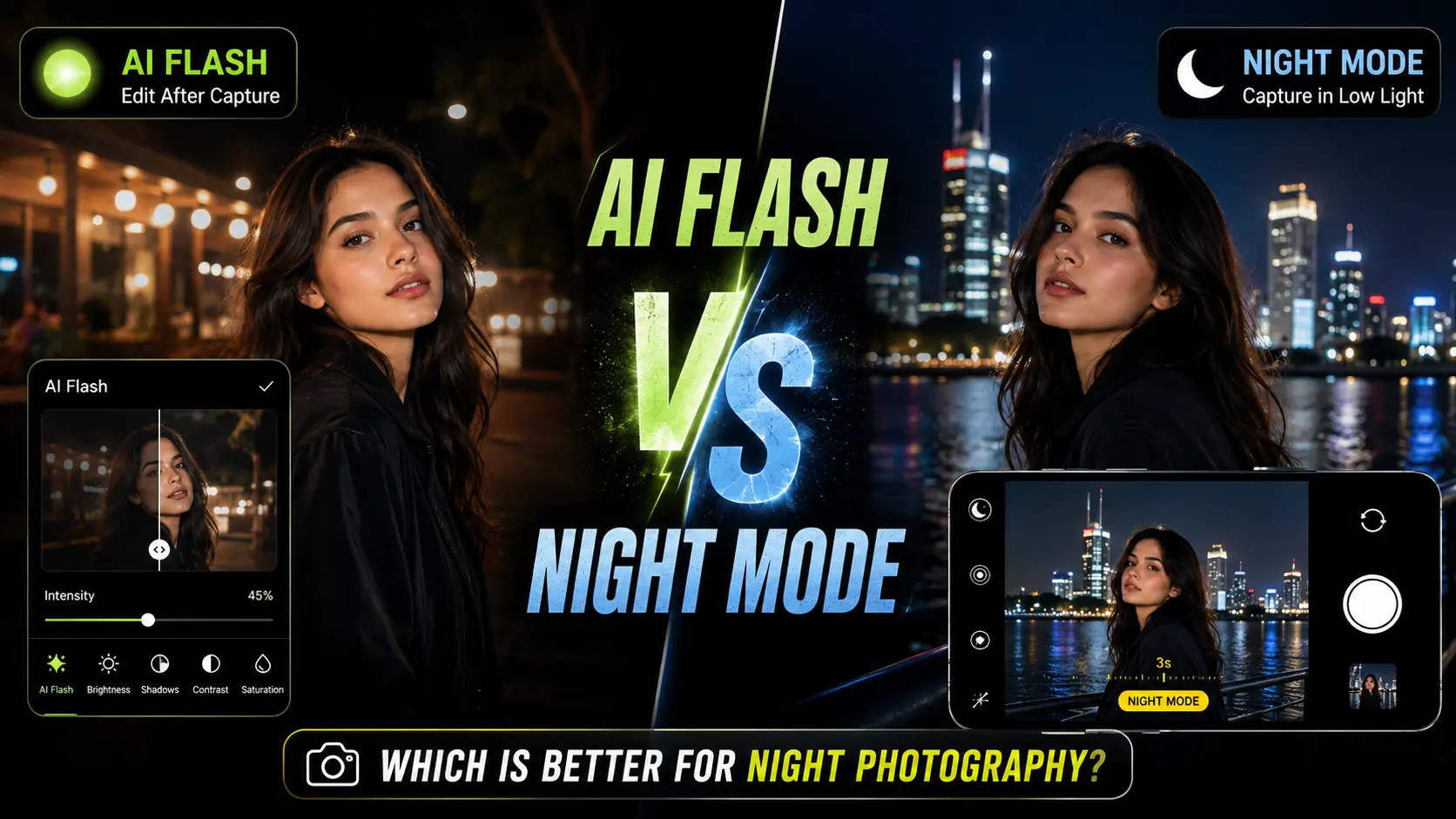
AI Flash vs iPhone Night Mode: Which Is Better for Night Photography?
Night photography can be tricky even when you have a good smartphone camera. A scene that looks interesting in person can turn out dark, noisy, blurry, or lacking detail once you take the photo.
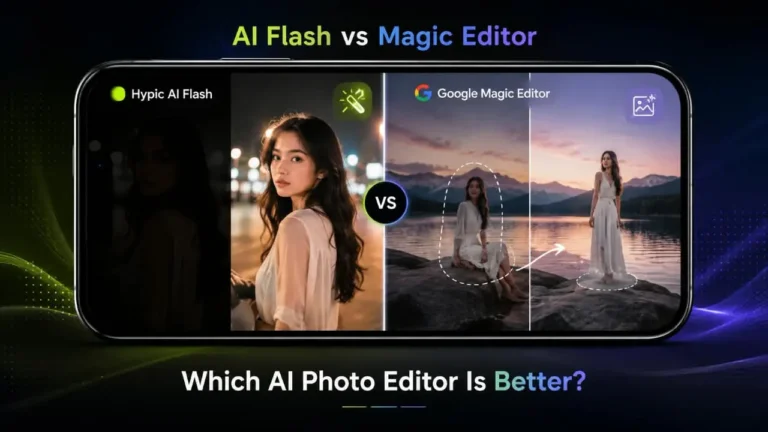
Two tools that can help are Hypic AI Flash and iPhone Night Mode. However, they are designed for different stages of the photography process.
iPhone Night Mode helps you capture a better low-light photo, while Hypic AI Flash helps improve a photo after it has already been taken.
That difference makes the choice much easier.
If you’re looking for more ways to edit and enhance photos with Hypic, you can also explore the Hypic homepage for related features and guides.
So, which one is better?
For taking a new nighttime photo, iPhone Night Mode is usually the better starting point. For an existing dark photo, Hypic AI Flash is often the more convenient option.
Let’s compare them across portraits, selfies, city scenes, landscapes, travel photography, moving subjects, and everyday social media photos.
Quick Answer
The easiest way to understand the difference is:
Night Mode helps you capture the photo. AI Flash helps you improve the photo afterward.
Choose Hypic AI Flash when:
- You already have a dark photo.
- A portrait or selfie looks underexposed.
- You want to brighten an existing image.
- You don’t want to retake the photo.
- You’re preparing a photo for social media.
- You need a quick editing adjustment.
Choose iPhone Night Mode when:
- You’re about to take a nighttime photo.
- You’re photographing a city or outdoor scene.
- Background detail is important.
- You want to preserve ambient lighting.
- You’re taking landscapes, architecture, or travel photos at night.
If you have access to both, you don’t necessarily need to choose one.
A practical workflow is:
Capture with Night Mode → Edit in Hypic → Apply AI Flash only if needed → Fine-tune → Export
What Is AI Flash in Hypic?
Hypic AI Flash is a post-processing feature designed to improve the appearance of dark or poorly lit photos.
It is different from using the physical flash on a smartphone camera.
Instead of illuminating the scene while you’re taking a picture, AI Flash is used after the image has already been captured.
This makes it useful when you have a photo that is usable but looks too dark.
For example, you might have:
- A nighttime selfie
- A dark portrait
- An indoor restaurant photo
- A party picture
- A travel photo taken after sunset
- A social media image with weak lighting
AI Flash can provide a quicker starting point than manually adjusting several controls.
Depending on the original image, it may help improve:
- Subject visibility
- Shadow areas
- Overall brightness
- Lighting balance
- Facial visibility
- The perceived clarity of a dark scene
The result will still depend heavily on the original photo. If an image is extremely dark, badly blurred, or missing important information, an editing feature cannot perfectly recreate details that were never captured.
What Is iPhone Night Mode?
iPhone Night Mode is Apple’s low-light photography feature that works during image capture.
On supported iPhone models, Night Mode can activate when the camera detects a low-light environment. The camera then uses its low-light capture and processing system to produce a brighter and more usable image.
This makes it particularly useful for scenes such as:
- City streets
- Buildings
- Night landscapes
- Travel locations
- Outdoor portraits
- Restaurants
- Skylines
- Other low-light environments
The important difference is timing:
Night Mode works while you are taking the photo.
AI Flash works after you have taken it.
That is why the two features are better viewed as complementary tools rather than direct replacements for each other.
AI Flash vs iPhone Night Mode: What’s the Difference?
Imagine you’re standing outside at night and want to photograph a friend.
With iPhone Night Mode, you use the camera to capture the scene.
With Hypic AI Flash, you already have the image and want to improve its lighting afterward.
The workflows look like this:
iPhone Night Mode:
Capture → Camera processing → Finished photo
Hypic AI Flash:
Capture → Open in Hypic → Apply AI Flash → Fine-tune → Finished photo
This distinction is the most important thing to remember throughout the comparison.
AI Flash vs iPhone Night Mode Comparison
| Feature | Hypic AI Flash | iPhone Night Mode |
|---|---|---|
| Main purpose | Improve an existing photo | Improve low-light capture |
| Works during | Editing | Photo capture |
| Requires an existing photo | Yes | No |
| Best for | Dark or underexposed images | New nighttime photos |
| Portraits | Useful for existing photos | Useful during capture |
| Selfies | Useful for existing images | Useful on supported iPhones |
| City photography | Good for post-editing | Strong starting point |
| Night landscapes | Useful afterward | Strong starting point |
| Background detail | Depends on original image | Benefits from better capture |
| Editing flexibility | High | More limited |
| Best workflow | Capture → Edit | Capture |
The key takeaway is simple:
Night Mode helps you create a stronger original image. AI Flash helps you work with the image you already have.
Which Is Better for Night Portraits?
Winner: It depends on the situation
If you’re taking a new portrait in low light, iPhone Night Mode can be the better starting point because it works during capture.
That gives you a chance to capture the person and surrounding environment properly from the beginning.
But if you already took the portrait and the face looks too dark, Hypic AI Flash can be more convenient.
This is especially useful for:
- Evening portraits
- Dark selfies
- Restaurant photos
- Party pictures
- Outdoor portraits after sunset
So the decision depends less on which technology is “better” and more on when you need help with the photo.
Which Is Better for Night Landscapes?
Winner: iPhone Night Mode
Night landscapes usually contain more than one important subject.
You may want to capture:
- Buildings
- Roads
- Mountains
- Bridges
- Trees
- Streetlights
- Skylines
- The night sky
Because the entire scene matters, getting a good original exposure is important.
Night Mode gives you a stronger starting point for this type of photography.
You can still open the resulting image in Hypic afterward if you want to make additional edits.
Which Is Better for City Photography?
Winner: iPhone Night Mode
City scenes often contain a mixture of very bright and very dark areas.
Think about a street with:
- Neon signs
- Shop windows
- Streetlights
- Cars
- Buildings
- Reflections
- Shadows
Capturing this environment properly is generally easier when you start with a good low-light photograph.
A practical workflow is:
- Capture the scene with Night Mode.
- Review the original image.
- Open it in Hypic if additional editing is needed.
- Use AI Flash only when the image still needs more brightness.
- Compare the edited version with the original.
This keeps the editing process controlled instead of relying on one aggressive adjustment.
Which Is Better for Night Selfies?
Winner: Depends on whether you’re taking or editing
If you’re taking a new selfie in low light, Night Mode can be useful on supported iPhones.
If you’ve already taken the selfie and it looks too dark, AI Flash is more convenient because you can work with the existing image.
This is one of the situations where post-processing can save you from retaking a photo that is otherwise good enough.
For example:
Existing dark selfie → Open in Hypic → Apply AI Flash → Check skin tones → Reduce intensity if necessary → Export
The goal should be better visibility without making the face look unnaturally bright.
Which Produces a More Natural Night Photo?
Winner: Night Mode as the starting point
A nighttime photograph doesn’t always need to look bright.
Part of the appeal of night photography comes from:
- Shadows
- Ambient light
- Dark areas
- Streetlight colors
- Natural contrast
- The atmosphere of the location
If you brighten everything too aggressively, the result can start looking more like a daytime photo.
That’s why Night Mode is generally a good starting point when you’re capturing a new scene.
AI Flash can then be useful for making smaller corrections afterward.
Which Is Better for Moving Subjects?
Winner: Neither completely solves the problem
Moving subjects are difficult to photograph in low light because capturing enough light can make motion blur more noticeable.
Examples include:
- People walking
- Dancing
- Moving vehicles
- Pets
- Street activity
The most important factor is getting a sharp original image.
AI Flash can improve the lighting of an existing photo, but it cannot fully restore motion detail that wasn’t captured clearly in the first place.
So for moving subjects:
Sharp capture first → Lighting correction second
Which Gives Better Background Detail?
Winner: iPhone Night Mode
If the background is an important part of your composition, getting a good original capture is especially important.
Imagine taking a portrait in front of a famous building at night.
You want both the person and the building to remain visible.
If the original background is almost completely black, there may not be enough information for an editing tool to produce a convincing result later.
A stronger low-light capture gives you much more flexibility during editing.
AI Flash vs iPhone Night Mode for Travel Photography
Travel photography is a good example of where both tools can work together.
You may photograph:
- Night markets
- Restaurants
- Streets
- Landmarks
- Architecture
- Friends
- Landscapes
- City skylines
For a new nighttime photo, start with Night Mode when appropriate.
Afterward, use Hypic for creative or corrective editing.
A simple workflow is:
Night Mode capture → Review → Hypic editing → AI Flash if necessary → Final adjustments
This approach gives you more control than depending entirely on either feature.
AI Flash vs Night Mode for Social Media Photos
Social media images often benefit from some post-processing.
A photo may be technically usable but appear slightly too dark or flat when viewed on another screen.
That’s where AI Flash can be useful.
For example:
Take the photo → Capture with Night Mode → Open in Hypic → Apply a moderate AI Flash adjustment → Check the result → Export
The important part is moderation.
A social media photo doesn’t necessarily need maximum brightness. A small improvement can be enough to make the subject easier to see while preserving the original atmosphere.
If you’re interested in using Hypic on a larger screen for editing, you can also explore our Hypic for PC guide.
Which Produces Less Noise?
Winner: Night Mode as the starting point
Noise is one of the biggest challenges in low-light photography.
If the original image is extremely dark, aggressively increasing brightness afterward can make visible noise more noticeable.
That’s why a good original capture is usually preferable.
Night Mode gives you a stronger starting image, while AI Flash can be used afterward for additional adjustments.
Neither approach guarantees a completely noise-free result, especially in very difficult lighting conditions.
Which Has Better Color in Low Light?
Winner: Depends on the image
Night scenes can contain several different light sources at once.
For example:
- Warm streetlights
- Cool LEDs
- Neon signs
- Restaurant lighting
- Car headlights
A good nighttime capture can preserve much of this atmosphere.
AI Flash can then be used if the image needs additional brightness, but aggressive editing may change the mood or make colors look unnatural.
For a natural result, compare the edited image with the original before saving the final version.
Real-World Example: A Night Portrait
Imagine you’re outside a restaurant with a friend.
The restaurant lighting looks good, but your friend’s face is slightly dark.
If you’re taking the photo now
Use the iPhone camera and Night Mode when appropriate.
The goal is to capture the person and the environment with enough usable light.
If you already have the photo
Open the image in Hypic and try AI Flash.
The goal is to improve the existing lighting without changing the entire scene.
Which is better?
Taking the photo now → Night Mode
Editing the photo you already have → AI Flash
This simple distinction answers most of the “AI Flash vs Night Mode” question.
Best AI Flash Approach for Night Photos
There isn’t one AI Flash level that works perfectly for every nighttime image.
A selfie, restaurant photo, city scene, and outdoor portrait can all require different treatment.
Instead of trying to find a universal percentage, start with a moderate adjustment, review the result, and increase it only when necessary.
Pay particular attention to:
- Facial brightness
- Skin tones
- Shadow detail
- Streetlights
- Highlights
- Background visibility
- Overall atmosphere
For detailed scene-by-scene recommendations, see our best AI Flash settings for night photos guide.
That article is the better resource for specific settings, while this comparison focuses on when AI Flash makes more sense than Night Mode and vice versa.
This separation also keeps the two articles focused on different search intents.
How to Get Better Results With AI Flash
Start with a usable original photo
AI Flash works best when the image contains enough information to work with.
Don’t expect it to completely rebuild a severely underexposed image.
Start gradually
Avoid immediately applying the strongest possible adjustment.
A smaller change often looks more natural.
Check skin tones
For portraits and selfies, make sure the face doesn’t become unnaturally bright or change color.
Protect bright areas
Streetlights, signs, and headlights may already be bright.
Increasing the entire image can make these areas distracting.
Compare before and after
The edited version isn’t automatically better.
If the original has a more natural nighttime atmosphere, keep the original or reduce the adjustment.
How to Get Better Results With iPhone Night Mode
Night photography also depends on how you capture the image.
Keep the phone steady
Movement during low-light capture can reduce sharpness.
Give the capture time to finish
Avoid moving the phone immediately after pressing the shutter.
Use available light
Streetlights, windows, signs, and other light sources can add depth and atmosphere to a nighttime composition.
Watch moving subjects
If your subject is moving, motion blur can become more noticeable.
Avoid unnecessary digital zoom
When possible, getting physically closer can produce a better result than relying heavily on digital zoom in a dark environment.
Can You Use AI Flash After Night Mode?
Yes.
You can use the two tools as part of the same workflow because they operate at different stages.
Try this:
- Take the photo with Night Mode.
- Review the result.
- Open it in Hypic.
- Apply AI Flash only if the image needs additional brightness.
- Make smaller adjustments if necessary.
- Compare the final version with the original.
- Keep the version that looks more natural.
This gives you the advantage of a stronger original capture while still allowing you to make creative or corrective edits afterward.
AI Flash vs iPhone Night Mode for Different Photos
| Photo Type | Better Starting Point | Main Reason |
|---|---|---|
| New night portrait | iPhone Night Mode | Better starting capture |
| Existing dark portrait | AI Flash | Improves the existing image |
| New night selfie | Night Mode | Helps during capture |
| Existing dark selfie | AI Flash | No need to retake it |
| City skyline | Night Mode | Captures the environment |
| Night landscape | Night Mode | Better original exposure |
| Architecture | Night Mode | Background detail matters |
| Dark social media photo | AI Flash | Convenient post-processing |
| Existing indoor photo | AI Flash | Useful for underexposed images |
| Travel night scene | Night Mode | Captures ambient surroundings |
| Photo needing extra brightness | AI Flash | Useful after capture |
Common Night Photography Mistakes
Even good camera and editing tools have limits.
Trying to rescue a completely black photo
If almost no useful information was captured, editing options are limited.
Moving during low-light capture
Movement can introduce blur and reduce detail.
Making nighttime photos too bright
A night photo should still feel like a night photo.
Ignoring the background
A good nighttime portrait often benefits from the environment around the subject.
Overusing AI Flash
More brightness doesn’t automatically mean a better image.
Confusing AI Flash with physical flash
This is an important distinction.
Hypic AI Flash is a post-processing feature. It is not the same as using your phone’s physical camera flash while taking the picture.
AI Flash vs iPhone Night Mode: Which Is Better Overall?
There isn’t one universal winner because the two features solve different problems.
Hypic AI Flash is better for:
- Existing dark photos
- Underexposed portraits
- Dark selfies
- Quick post-processing
- Social media editing
- Improving the appearance of shadow areas
iPhone Night Mode is better for:
- New nighttime photos
- City photography
- Night landscapes
- Architecture
- Travel photography
- Capturing ambient lighting
- Preserving useful background information
So instead of asking which feature is better overall, ask:
Am I taking the photo or editing it?
If you’re taking a new nighttime photo:
Start with Night Mode.
If you’re working with an existing dark photo:
Try AI Flash.
Where Does Hypic Fit Into Your Night Photography Workflow?
Hypic can be useful beyond a single lighting adjustment.
A simple workflow could look like this:
Capture → Review → Edit → Fine-tune → Export
If you’re using Hypic on Apple’s platform, you can explore the Hypic for iOS guide.
If you’re looking for information about previous releases, visit the Hypic old versions section.
And if you’re comparing Hypic with other photo-editing tools and features, the Hypic comparisons section provides related guides.
Each resource serves a different purpose, so you can move between them depending on what you’re trying to do.
Frequently Asked Questions
Is AI Flash better than iPhone Night Mode?
Not necessarily. They are designed for different stages of photography. iPhone Night Mode helps when you’re capturing a new low-light photo, while Hypic AI Flash is designed to improve an existing image.
Is AI Flash good for night photography?
Yes. It can be useful for improving dark portraits, selfies, indoor photos, travel images, and other existing low-light photos when the original image contains enough usable information.
Is iPhone Night Mode better for portraits?
It can be a strong starting point when you’re taking a new portrait in low light, particularly when the subject can remain relatively still.
Which is better for night landscapes?
iPhone Night Mode is generally the better starting point because it works during capture and is designed for low-light photography.
Which is better for night selfies?
For a new selfie, Night Mode can be useful on supported iPhones. For an existing dark selfie, AI Flash may be more convenient because you can edit the photo without taking it again.
Does AI Flash use the iPhone’s physical flash?
No. Hypic AI Flash is a post-processing feature. It is not the same as using the phone’s physical camera flash during capture.
Can I use AI Flash after taking a Night Mode photo?
Yes. You can capture the image with Night Mode and then open it in Hypic for additional editing.
Which is better for moving subjects at night?
Neither feature completely solves motion problems. A sharp original capture is important because editing can improve lighting but cannot fully restore motion detail that wasn’t captured clearly.
Which gives a more natural nighttime photo?
A well-captured Night Mode image is generally a stronger starting point when you want to preserve the atmosphere of a nighttime scene. AI Flash can then be used carefully for additional brightness.
Can AI Flash fix a completely black photo?
Not completely. AI Flash can improve a dark image when useful information is present, but it cannot perfectly recreate details that were never captured.
Final Verdict
Hypic AI Flash and iPhone Night Mode aren’t direct replacements for each other.
They work at different stages of the photography process.
iPhone Night Mode is the better starting point when you’re taking a new photo in low light. It can be especially useful for city scenes, landscapes, architecture, travel photography, and other situations where the original capture matters.
Hypic AI Flash is more useful when you already have a dark photo. It gives you a way to improve the lighting without having to retake the image.
The easiest rule to remember is:
Taking a new night photo? Start with iPhone Night Mode.
Already have a dark photo? Try Hypic AI Flash.
And when you have access to both, you can combine them:
Capture with Night Mode → Open the photo in Hypic → Apply AI Flash if needed → Fine-tune → Export
That workflow gives you a strong original image while keeping the flexibility of post-processing.
Bottom line: Night Mode helps you capture the night. AI Flash helps you improve the night photo afterward.