Hypic G7X2 vs OldRoll: Which Vintage Camera App Is Better?
If you like the nostalgic look of old digital cameras, film cameras, and early smartphone photography, you’ve probably come across apps that recreate those styles.
Two options that stand out are Hypic G7X2 and OldRoll.
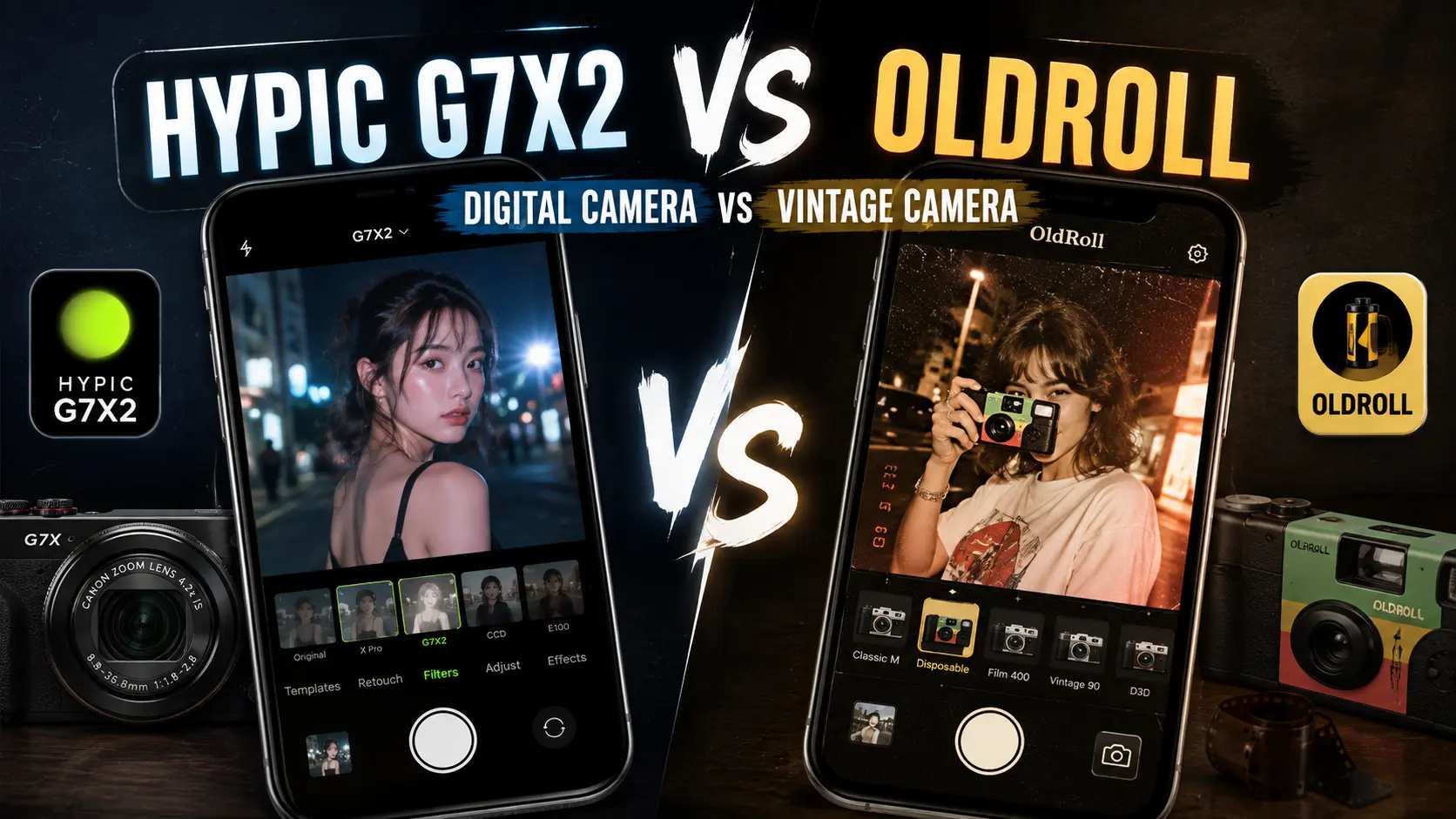
Both can give photos a nostalgic or retro-inspired appearance, but they are built around different experiences. Hypic G7X2 is a digital-camera-style effect inside the Hypic photo editor, while OldRoll is designed more specifically around vintage camera photography and different retro camera styles.
So, which one is better?
The answer depends on what you want to do with your photos. If you want to edit pictures already saved on your phone and continue adjusting them afterward, Hypic G7X2 is the more convenient choice. If you want a dedicated vintage camera experience with multiple retro styles, OldRoll is more appealing.
In this comparison, we’ll look at Hypic G7X2 vs OldRoll across digital-camera aesthetics, vintage styles, editing flexibility, selfies, night photography, travel photos, social media use, and overall workflow.
Quick Answer
Hypic G7X2 is better for editing existing photos with a digital-camera-inspired look, while OldRoll is better for users who want a dedicated vintage camera experience with a wider range of retro styles.
Choose Hypic G7X2 if you want:
- A compact digital-camera-inspired look
- To edit photos already saved on your phone
- Additional photo editing tools
- More control after applying the effect
- Quick edits for social media
- A modern photo editor with retro-style effects
Choose OldRoll if you want:
- A dedicated vintage camera experience
- Multiple retro camera styles
- Film-inspired aesthetics
- Disposable-camera-style photos
- Retro photography while taking new pictures
- More variety between different camera simulations
The simple difference
Hypic G7X2 = digital-camera-focused editing
OldRoll = vintage-camera-focused photography
What Is Hypic G7X2?
Hypic G7X2 is a digital-camera-inspired effect available within the Hypic app.
It is aimed at recreating some of the visual character associated with compact digital cameras and the nostalgic point-and-shoot photography that has become popular on social media.
Depending on the image and editing process, the effect can produce characteristics such as:
- Direct-flash aesthetics
- Crisp digital details
- Cool or slightly muted tones
- Casual snapshot styling
- Compact-camera-inspired rendering
- Early-digital-camera nostalgia
The goal is not necessarily to make a photo look like it came from a modern professional camera. Instead, G7X2 is designed around the recognizable character of compact digital photography.
One of its biggest advantages is that it sits inside a broader photo editing workflow. After applying the effect, you can continue adjusting the image instead of treating the camera effect as the end of the process.
That makes G7X2 particularly useful when you already have photos in your gallery and want to give them a digital-camera-inspired appearance.
iPhone users can also learn more about using Hypic for iOS.
What Is OldRoll?
OldRoll is a camera app centered around vintage and retro photography experiences.
Rather than focusing on one specific digital-camera aesthetic, OldRoll provides different camera-inspired styles that can give photos a variety of nostalgic appearances.
Depending on the style you choose, the results can be inspired by:
- Disposable cameras
- Film photography
- Compact cameras
- Vintage photography
- Flash photography
- Analog-style images
- Retro color rendering
One of OldRoll’s main strengths is variety.
Instead of using one consistent effect for every photo, you can experiment with different camera styles based on the subject, lighting, and mood.
This makes OldRoll a good fit for people who enjoy the experience of taking photos through a retro camera app rather than simply applying a filter to an existing picture.
Hypic G7X2 vs OldRoll: What’s the Difference?
The biggest difference is their overall workflow.
Hypic G7X2 is primarily editing-focused.
OldRoll is primarily camera-focused.
With Hypic G7X2, you can start with a photo from your gallery, apply a digital-camera-inspired effect, and continue editing the image.
With OldRoll, the experience is more centered around choosing a camera style and taking a new photo through that style.
This distinction matters because the better app depends heavily on how you normally create content.
If you already have hundreds of photos on your phone, Hypic G7X2 can be more convenient.
If you enjoy taking new pictures specifically for a vintage aesthetic, OldRoll may be more engaging.
Hypic G7X2 vs OldRoll Comparison
| Feature | Hypic G7X2 | OldRoll |
|---|---|---|
| Main purpose | Digital-camera-style editing | Vintage camera photography |
| Digital-camera aesthetic | Strong | Strong |
| Vintage camera variety | Focused | Broad |
| Existing photo editing | Excellent | More camera-focused |
| Camera experience | Limited | Strong |
| Editing flexibility | High | Moderate |
| Ease of use | Very easy | Very easy |
| Retro aesthetics | Strong | Strong |
| Camera-style variety | Focused | Extensive |
| Beginner friendly | Yes | Yes |
| Best for | Editing existing photos | Taking retro-style photos |
The easiest way to remember the difference is:
Hypic G7X2 focuses on editing. OldRoll focuses on the camera experience.
Which Has the Better Digital Camera Look?
Winner for a focused digital-camera aesthetic: Hypic G7X2
If your main goal is specifically a digital-camera look, Hypic G7X2 is the more focused option.
The effect is built around the nostalgic character associated with compact digital cameras and point-and-shoot photography.
It can work particularly well for:
- Flash selfies
- Night photos
- Travel pictures
- Casual portraits
- Party photos
- Social media content
OldRoll can also produce digital-camera-inspired results, but its broader selection means you are not limited to one particular aesthetic.
So if you already know that you want a focused compact digital-camera look, G7X2 is the simpler choice.
Which Has More Vintage Camera Styles?
Winner for camera-style variety: OldRoll
This is one of OldRoll’s clearest advantages.
The app is built around multiple camera-inspired aesthetics rather than one focused digital-camera effect.
You can experiment with different styles depending on the photo and the mood you’re trying to create.
For example:
- A disposable-camera look can work well for parties.
- A film-inspired style can suit travel photos.
- A stronger flash aesthetic can work for night photography.
- A softer vintage style can work for portraits.
If experimentation and variety matter more than maintaining one consistent look, OldRoll is the stronger choice.
Which Is Better for Editing Existing Photos?
Winner for existing-photo editing: Hypic G7X2
This is one of Hypic G7X2’s biggest advantages.
If you already have a photo saved on your phone, you can bring it into Hypic and apply the G7X2-style effect.
A typical workflow is:
- Open Hypic.
- Import an existing photo.
- Apply the G7X2 effect.
- Fine-tune the image if necessary.
- Add other edits if needed.
- Export the finished photo.
This is particularly useful if you have an existing collection of photos and want to give selected images a similar digital-camera character without taking them again.
Which Is Better for Taking New Photos?
Winner for a camera-first workflow: OldRoll
OldRoll is more suitable if you want the camera experience itself to be part of the creative process.
Instead of taking a normal smartphone photo and adding a retro look later, you can select a camera-inspired style and create the image around that aesthetic.
This can make photography feel more spontaneous and less like traditional post-processing.
OldRoll can be especially appealing to people who enjoy:
- Point-and-shoot photography
- Retro camera experiences
- Disposable-camera aesthetics
- Casual snapshots
- Experimental photography
If the process of taking the photo matters as much as the final image, OldRoll has the advantage.
Hypic G7X2 vs OldRoll for Selfies
Both apps can work well for selfies, but they approach them differently.
Hypic G7X2
Hypic G7X2 is useful when you already have a selfie and want to give it a digital-camera-inspired appearance.
After applying the effect, you can continue making adjustments to the image using the editing tools available in Hypic.
This can be useful when you want more control over things such as:
- Brightness
- Contrast
- Color
- Skin tones
- Sharpness
- Other available adjustments
OldRoll
OldRoll can be more appealing when you want the selfie itself to feel like it was captured with a vintage camera.
The camera-first experience can produce a more spontaneous and less polished feeling.
Best choice
For editing an existing selfie: Hypic G7X2
For capturing a new retro-style selfie: OldRoll
Hypic G7X2 vs OldRoll for Night Photos
Night photography is a natural fit for retro camera aesthetics, especially when flash is part of the look.
Hypic G7X2
G7X2 can be useful when you already have a night photo and want to give it a digital-camera-style appearance.
The advantage is that you can continue adjusting the image after applying the effect.
OldRoll
OldRoll can be more interesting when you want to create a new night photo through a retro camera-style workflow.
Different camera styles can produce different combinations of flash, color, and vintage character.
Best choice
For editing existing night photos: Hypic G7X2
For creating new retro night photos: OldRoll
Which Is Easier to Use?
Winner: Tie
Both apps are beginner-friendly, but their workflows are different.
Hypic G7X2 can feel simpler when you already have a photo and only want to apply a digital-camera effect:
Import → Apply effect → Fine-tune → Export
OldRoll follows a more camera-oriented process:
Choose camera → Take photo → Review → Save
So neither app is necessarily harder.
The better choice depends on whether you prefer editing photos you already have or creating new photos through a camera-style experience.
Which Offers More Editing Flexibility?
Winner for post-editing flexibility: Hypic G7X2
Hypic has an advantage because G7X2 exists inside a broader photo editing environment.
After applying the digital-camera effect, you can continue working on the image rather than stopping with the initial result.
Depending on the tools available in your version of the app, you may be able to adjust:
- Exposure
- Brightness
- Contrast
- Color
- Sharpness
- Retouching
- Other creative effects
This makes G7X2 useful as part of a larger editing workflow.
OldRoll is more focused on the camera experience itself, so users who want extensive post-processing may prefer a dedicated photo editor.
Which Has Better Retro Aesthetics?
Winner for broader vintage variety: OldRoll
If vintage is the most important word in your search, OldRoll has a strong advantage because the app is specifically centered around retro camera experiences.
Depending on the selected style, the result can feel:
- Older
- More analog
- More nostalgic
- More imperfect
- More film-like
- More disposable-camera inspired
Hypic G7X2 is more specifically focused on digital-camera nostalgia.
A useful distinction is:
G7X2 = digital nostalgia
OldRoll = broader vintage-camera nostalgia
Which Is Better for Social Media?
Both apps can work well for social media, but the better option depends on your workflow.
Hypic G7X2 is useful for:
- Existing Instagram photos
- TikTok photo edits
- Travel pictures
- Digital-camera-style selfies
- Consistent photo collections
- Quick post-processing
OldRoll is useful for:
- New retro photos
- Disposable-camera content
- Vintage-style selfies
- Party photography
- Casual snapshots
- Experimental content
If your photos are already in your gallery, Hypic G7X2 is generally more convenient.
If you’re creating new content specifically around a retro camera aesthetic, OldRoll can provide a more immersive workflow.
If you want to experiment with AI-assisted photo ideas after editing, you can also explore these Hypic prompts.
Which Is Better for Beginners?
Winner: Tie
Both apps are accessible to beginners.
You don’t need advanced photo-editing knowledge to get started with either one.
Hypic G7X2 is particularly straightforward when you want to apply a focused digital-camera effect to an existing image.
OldRoll is also simple because its camera styles handle much of the visual treatment.
The main difference is therefore workflow, not difficulty.
Hypic: Edit an existing photo.
OldRoll: Create a photo through a camera style.
Which Is Better for Advanced Editing?
Winner for advanced post-editing: Hypic G7X2
For users who want to make additional adjustments after applying a retro look, Hypic provides the more flexible environment.
A possible workflow is:
- Import the photo.
- Apply G7X2.
- Adjust exposure and brightness.
- Fine-tune colors.
- Make subtle retouching changes.
- Add other creative adjustments.
- Export.
OldRoll’s strength is different. It is more about the camera experience and the style selected at capture time than extensive post-processing.
Hypic G7X2 vs OldRoll for Travel Photos
Travel photography is a good example of where the two apps serve different purposes.
Hypic G7X2
If you have already returned from a trip with hundreds of smartphone photos, G7X2 can be useful for giving selected images a consistent digital-camera-inspired appearance.
This works well for:
- Travel albums
- Instagram carousels
- Photo dumps
- Vacation memories
OldRoll
If you’re still traveling and want your photos to have a retro-camera character from the moment they are captured, OldRoll can be more interesting.
The camera-style workflow can make ordinary travel moments feel more spontaneous.
Best choice
For editing an existing travel collection: Hypic G7X2
For taking new retro travel photos: OldRoll
Hypic G7X2 vs OldRoll: Best Choice by User Type
| If You Want… | Best Choice | Why |
|---|---|---|
| A focused digital-camera effect | Hypic G7X2 | Built around a digital-camera-inspired look |
| Editing existing photos | Hypic G7X2 | Works with photos already in your gallery |
| More post-editing flexibility | Hypic G7X2 | Part of a broader editing workflow |
| Quick social media edits | Hypic G7X2 | Convenient for existing content |
| A dedicated vintage camera app | OldRoll | Camera-first experience |
| Multiple retro camera styles | OldRoll | Greater variety of camera-inspired looks |
| Film-inspired aesthetics | OldRoll | Broader vintage photography focus |
| Disposable-camera style | OldRoll | Strong fit for retro camera experimentation |
| Taking new retro photos | OldRoll | Designed around the capture experience |
| Beginner-friendly workflow | Both | Neither requires advanced skills |
| Night photography | Both | Different strengths for creating vs editing |
| Retro experimentation | OldRoll | More camera styles to explore |
Can Hypic G7X2 Replace OldRoll?
Not completely.
The two apps overlap in their nostalgic photography styles, but their core workflows are different.
Hypic G7X2 can be a strong alternative to OldRoll when your main goal is to take an existing photo and give it a digital-camera-inspired appearance.
OldRoll is better suited to users who specifically want a dedicated vintage camera experience with different styles.
So it is more useful to think of them as two tools with overlapping aesthetics rather than direct replacements.
Existing photos → Hypic G7X2
New retro camera photos → OldRoll
How to Get a Better Vintage Camera Look
The app you choose is only part of the result. The original photo and shooting conditions also have a major influence on the final appearance.
1. Try Direct Flash
Direct flash is one of the easiest ways to create a recognizable compact-camera or disposable-camera aesthetic.
2. Avoid Over-Editing
Retro photography often works because it feels imperfect.
Excessive sharpening, saturation, smoothing, or retouching can make the image look too modern.
3. Experiment With Night Photos
Night scenes combined with flash can create a convincing nostalgic look.
4. Keep the Composition Casual
Don’t worry about making every frame perfectly composed.
Slightly spontaneous framing can actually strengthen the retro aesthetic.
5. Match the Style to the Photo
A softer vintage style may work better for portraits, while a stronger flash-heavy look can work well for parties and nighttime snapshots.
Pros and Cons of Hypic G7X2
Pros
- Easy to use
- Strong digital-camera aesthetic
- Works with existing photos
- Part of a broader editing workflow
- Useful for social media
- Beginner-friendly
- Allows additional adjustments
- Good for quick digital-camera transformations
Cons
- More focused on one digital-camera direction
- Less variety than a dedicated multi-camera app
- Results depend on the original image
- Not primarily designed as a multi-camera vintage simulator
Pros and Cons of OldRoll
Pros
- Strong vintage camera experience
- Multiple camera-inspired styles
- Wide variety of retro aesthetics
- Useful for creating new photos
- Good for casual photography
- Suitable for flash and night photography
- Beginner-friendly
- Encourages experimentation
Cons
- Less focused on detailed post-editing
- Different camera styles can produce very different results
- Users who want extensive editing tools may prefer a photo editor
- Choosing the right camera style can take some experimentation
Hypic G7X2 vs OldRoll: Which Should You Choose?
The decision ultimately comes down to your photography workflow.
Choose Hypic G7X2 if:
- You already have photos you want to edit.
- You specifically want a compact digital-camera aesthetic.
- You want to make additional adjustments after applying the effect.
- You create social media posts from existing photos.
- You prefer editing over taking photos through a dedicated camera app.
Choose OldRoll if:
- You want a dedicated vintage camera experience.
- You enjoy experimenting with different retro styles.
- You want disposable-camera or film-inspired aesthetics.
- You prefer creating new photos through a camera-style workflow.
- You enjoy the unpredictability and spontaneity of retro photography.
Choose both if:
You enjoy both editing and retro photography. Their strengths are different enough that you can use OldRoll to create new images and Hypic to further edit selected photos when you want more control.
Frequently Asked Questions
Is Hypic G7X2 similar to OldRoll?
Yes. Both can create nostalgic, digital-camera, or retro-inspired photo styles, but they focus on different workflows. Hypic G7X2 is an editing effect inside Hypic, while OldRoll is designed more around a dedicated vintage camera experience.
Which is better, Hypic or OldRoll?
It depends on your goal. Hypic G7X2 is generally better for editing existing photos and making additional adjustments. OldRoll is better for experimenting with different vintage camera styles and creating new retro photos.
Is Hypic G7X2 a vintage camera effect?
G7X2 is primarily a digital-camera-inspired effect. It can create a nostalgic appearance associated with older compact digital cameras, which is different from a traditional film-camera look.
Is OldRoll a vintage camera app?
Yes. OldRoll is built around vintage and retro camera-inspired photography experiences, with different styles designed to create different nostalgic looks.
Which is better for digital-camera photos?
Hypic G7X2 is the more focused choice if you specifically want a compact digital-camera aesthetic applied to an existing photo. OldRoll is useful when you want to explore several camera-inspired styles.
Which is better for film-style photos?
OldRoll is generally the better fit if you want a broader vintage or film-inspired aesthetic because its camera-focused approach offers more retro styles to experiment with.
Which is better for selfies?
Both can work well. Hypic G7X2 is useful for editing existing selfies, while OldRoll can be more appealing if you want to capture new selfies through a retro camera-style workflow.
Which is better for night photos?
Both can work well for night photography. Hypic G7X2 is convenient for editing existing night photos, while OldRoll is useful for creating new flash-heavy night photos through different retro camera styles.
Can I edit photos after applying G7X2?
Yes. Hypic provides a broader editing workflow, allowing you to continue making adjustments after applying the G7X2-style effect.
Can OldRoll replace Hypic?
Not completely. OldRoll is more focused on vintage camera photography, while Hypic provides a broader photo editing environment. The two apps overlap in aesthetics but serve different purposes.
Final Verdict
Hypic G7X2 and OldRoll both offer appealing ways to create nostalgic photography, but they are designed for different workflows.
Choose Hypic G7X2 if you already have photos and want to give them a digital-camera-inspired appearance while retaining the ability to make additional edits.
It is particularly useful for users who want a quick way to recreate the character of compact digital cameras without rebuilding their photos from scratch.
Choose OldRoll if you want a more dedicated vintage camera experience and enjoy experimenting with different retro photography styles.
Its broader range of camera-inspired experiences makes it a good fit for users who like disposable-camera aesthetics, film-inspired looks, flash photography, and spontaneous snapshots.
The simple answer:
For a focused digital-camera look: Hypic G7X2.
For vintage camera variety: OldRoll.
For editing existing photos: Hypic G7X2.
For taking new retro photos: OldRoll.
For post-editing flexibility: Hypic G7X2.
For experimenting with different camera styles: OldRoll.
Ultimately, the better choice depends on the experience you want.
If you want to edit and customize an existing photo, Hypic G7X2 is the more convenient option.
If you want to capture new photos through different vintage camera styles, OldRoll is the more natural choice.
And if you enjoy both workflows, there is no reason you cannot use both. Their strengths are different enough that they can complement each other rather than compete directly.