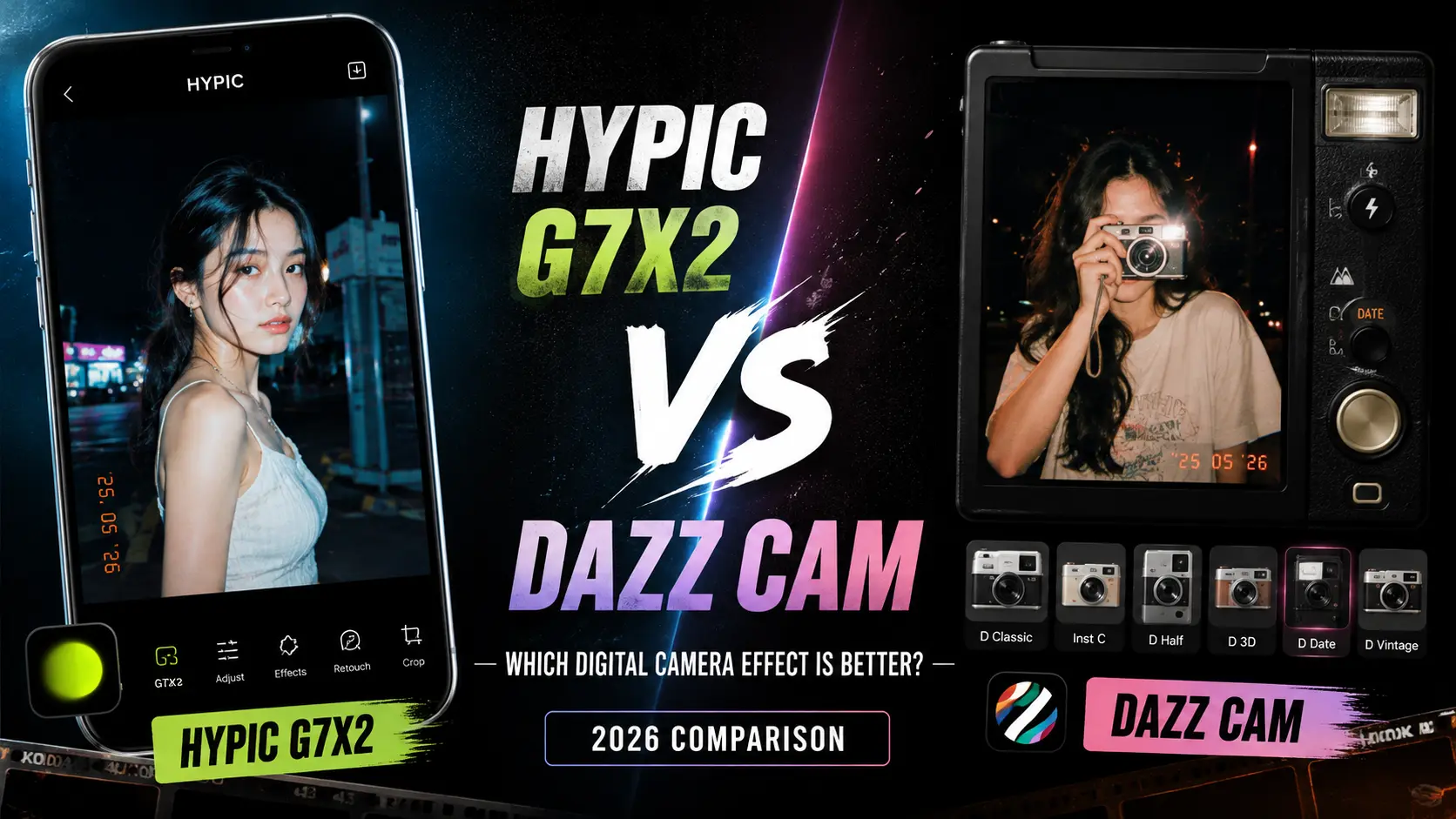
Hypic G7X2 vs Dazz Cam: Which Digital Camera Effect Is Better?
If you like the look of compact digital cameras, you’ve probably noticed how popular that slightly nostalgic digital camera aesthetic has become.
Photos with bright flash, crisp details, cool tones, and that unmistakable early-digital-camera feel are everywhere on social media. You can get this look with dedicated camera apps, filters, or photo editors that recreate the style through digital effects.
Two options that stand out are Hypic G7X2 and Dazz Cam.
At first glance, they may seem similar because both can help create a digital-camera-inspired look. However, they approach the effect differently.
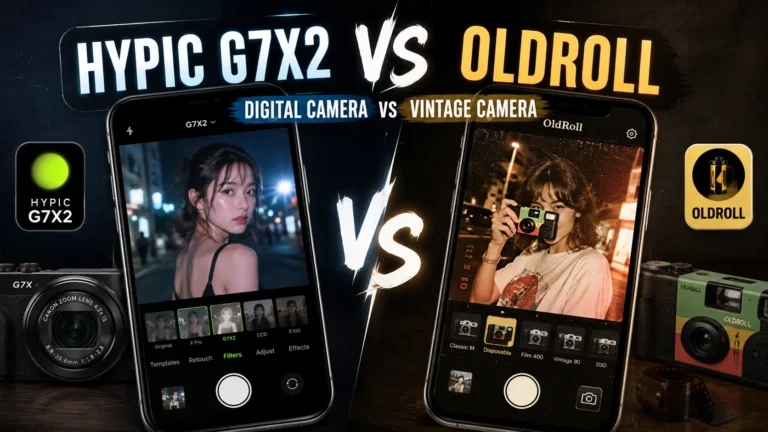
Hypic G7X2 is a digital camera-style effect inside Hypic, while Dazz Cam is built around recreating the experience and appearance of different retro cameras.
So which one should you use?
In this guide, we’ll compare Hypic G7X2 vs Dazz Cam based on their overall look, ease of use, editing flexibility, digital camera aesthetic, and the type of photos each option is best suited for.
If you’re looking for more photo-editing ideas and tutorials, explore our Hypic photo editing guides.
Quick Answer
Hypic G7X2 is the better choice if you want to apply a digital camera-style look to existing photos while keeping a simple editing workflow. Dazz Cam is better if you want a broader retro-camera experience with different camera-inspired styles.
Choose Hypic G7X2 if you want:
- A quick digital camera effect
- Easy editing of existing photos
- A modern photo-editing workflow
- A compact-camera-inspired aesthetic
- Additional editing tools in the same app
- More flexibility after applying the effect
Choose Dazz Cam if you want:
- A dedicated retro-camera experience
- Multiple camera-inspired looks
- Different vintage and digital aesthetics
- A camera-app-style workflow
- More variety between camera styles
If your goal is simply to give an existing photo a digital camera filter, Hypic G7X2 can be the more convenient option.
If you enjoy experimenting with different retro camera styles, Dazz Cam may be more interesting.
What Is Hypic G7X2?
Hypic G7X2 is a digital camera-style effect designed to give photos a compact-camera-inspired appearance.
The appeal of this type of effect comes from the characteristics associated with older point-and-shoot digital cameras.
Depending on the image and editing settings, the effect can help create a look with:
- Direct flash
- Crisp digital detail
- Slightly cool tones
- Compact-camera aesthetics
- Casual snapshots
- Nostalgic digital texture
The result is not necessarily meant to look like a modern professional camera.
Instead, the goal is to recreate the character of a small digital camera.
This makes the effect particularly interesting for travel photos, selfies, nightlife pictures, casual portraits, and social media content.
Another advantage is that Hypic is primarily a photo editing app, so you can continue editing the image after applying the camera-style effect.
If you prefer editing photos directly on your phone, you can also learn more about Hypic for iOS.
What Is Dazz Cam?
Dazz Cam is a camera app designed around retro and vintage camera aesthetics.
Instead of focusing on one particular digital-camera effect, Dazz Cam offers different camera-inspired looks that can make photos resemble images produced by older cameras and film formats.
Depending on the selected camera style, the result can include characteristics such as:
- Flash photography
- Vintage color rendering
- Grain
- Date-stamp aesthetics
- Retro tones
- Digital-camera-inspired looks
- Film-inspired effects
One of Dazz Cam’s biggest strengths is variety.
Rather than using one effect repeatedly, users can experiment with different camera styles depending on the type of photo they want to create.
Hypic G7X2 vs Dazz Cam: What’s the Difference?
The biggest difference is how the two approaches are designed.
Hypic G7X2 focuses on bringing a specific digital-camera aesthetic into a photo editing workflow.
Dazz Cam focuses more broadly on recreating the experience and appearance of different retro cameras.
That means neither option is automatically better.
They simply target slightly different workflows.
If you already have a photo and want to give it a digital-camera feel, Hypic G7X2 can be more straightforward.
If you’re interested in trying different camera-inspired styles and experimenting with retro aesthetics, Dazz Cam offers a broader creative direction.
Hypic G7X2 vs Dazz Cam Comparison
| Feature | Hypic G7X2 | Dazz Cam |
|---|---|---|
| Main purpose | Digital camera-style editing | Retro camera simulation |
| Digital camera aesthetic | Excellent | Excellent |
| Ease of use | Very easy | Easy |
| Existing photo editing | Excellent | Depends on workflow |
| Camera-style variety | More focused | Broader |
| Additional editing tools | Yes | More camera-focused |
| Creative flexibility | High | High |
| Retro aesthetics | Good | Excellent |
| Beginner friendly | ⭐⭐⭐⭐⭐ | ⭐⭐⭐⭐⭐ |
| Best for | Quick digital-camera edits | Exploring camera styles |
The biggest takeaway is simple:
Hypic G7X2 is more focused, while Dazz Cam offers more variety.
Which One Has the Better Digital Camera Look?
Winner: It Depends on Your Style
This is one of the hardest categories to declare a winner because “digital camera look” can mean different things.
Some people want:
- Bright flash
- Clean details
- Slightly cool colors
- Casual snapshots
Others prefer:
- Stronger retro colors
- Grain
- Date stamps
- More obvious vintage characteristics
If your preferred aesthetic is a clean, compact-digital-camera look, Hypic G7X2 can be a strong choice.
If you want to explore multiple interpretations of retro photography, Dazz Cam gives you more options.
Which Is Easier to Use?
Winner: Hypic G7X2
Hypic G7X2 is particularly convenient when you already have a photo that you want to edit.
The general workflow is straightforward:
- Open your photo in Hypic.
- Find the relevant camera-style effect.
- Apply the G7X2 look.
- Adjust the image if necessary.
- Add other edits if needed.
- Export the final photo.
You don’t need to build the look from scratch.
This makes it useful when you want a quick transformation rather than a dedicated camera workflow.
Dazz Cam is also easy to use, but its camera-based approach can encourage more experimentation between different styles.
Which One Offers More Editing Flexibility?
Winner: Hypic G7X2
One of Hypic’s advantages is that the camera effect exists within a broader photo editing environment.
After applying the G7X2-style effect, you can continue working on the image using other editing tools available in the app.
That can be useful if you want to:
- Adjust brightness
- Modify contrast
- Change colors
- Retouch the subject
- Add other creative effects
- Fine-tune the final image
For users who prefer a larger screen and desktop workflow, see our guide to Hypic for PC.
Dazz Cam is more focused on creating the camera look itself.
So if your workflow involves applying an effect and then performing additional edits, Hypic can be more flexible.
Which One Has More Camera Styles?
Winner: Dazz Cam
This is where Dazz Cam has a clear advantage.
Dazz Cam is designed around the idea of using different camera-inspired styles.
That makes it attractive for users who don’t want to use the same aesthetic on every photo.
You can experiment with different looks depending on:
- The subject
- Lighting
- Location
- Mood
- Color preference
- Type of photography
If variety is your priority, Dazz Cam is worth considering.
Hypic G7X2 vs Dazz Cam for Selfies
Both can work well for selfies, but the best option depends on the look you’re trying to achieve.
Hypic G7X2 can be useful when you want a straightforward digital-camera aesthetic while keeping the ability to make additional edits.
For example, you might apply the effect and then make small adjustments to brightness or skin tones.
Dazz Cam can be better if you want the selfie to feel like it was captured using a specific retro camera.
For casual flash selfies, both approaches can produce interesting results.
Hypic G7X2 vs Dazz Cam for Night Photos
Night photography is one of the situations where digital-camera aesthetics can look particularly good.
Flash-heavy night photos can create the nostalgic look many users associate with old compact cameras.
Hypic G7X2 can work well when you want to apply that style to an existing night photo.
Dazz Cam can be more appealing if you want to experiment with different camera-inspired night looks.
For example, one style might produce a stronger flash aesthetic, while another may emphasize grain or retro colors.
Best choice:
Hypic G7X2: quick editing of an existing night photo.
Dazz Cam: experimenting with different retro camera styles.
Hypic G7X2 vs Dazz Cam for Social Media
Social media is probably one of the biggest reasons people are interested in digital-camera aesthetics.
The slightly imperfect look of compact cameras can make photos feel more spontaneous than heavily polished smartphone photography.
Hypic G7X2 is useful if you already have photos in your camera roll and want to transform them quickly.
Dazz Cam can be more interesting for creators who want to experiment with different visual identities.
For example:
- One camera style for travel photos
- Another for night shots
- Another for selfies
- Another for casual everyday photos
Winner for convenience: Hypic G7X2
Winner for variety: Dazz Cam
Which One Is Better for Beginners?
Winner: Both
Neither option requires advanced photo-editing knowledge.
Hypic G7X2 is particularly straightforward if you want to apply one effect to an existing image and move on.
Dazz Cam is also beginner-friendly because the camera styles do much of the creative work for you.
The difference is mainly in the workflow.
Hypic: Edit a photo → Apply effect → Fine-tune → Export
Dazz Cam: Choose a camera style → Capture or work with the image → Experiment → Save
If you want simplicity, both are good choices.
Which One Is Better for Advanced Editing?
Winner: Hypic G7X2
If you want to continue editing after applying the digital-camera effect, Hypic has an advantage because the effect is part of a broader editing workflow.
You can combine the camera-style look with other adjustments instead of treating the camera effect as the final step.
For example, you might:
- Apply the G7X2 effect.
- Adjust exposure.
- Fine-tune contrast.
- Correct colors.
- Make subtle retouching changes.
- Export the final image.
This makes Hypic more suitable for users who want a digital-camera aesthetic without giving up editing flexibility.
What Makes the Digital Camera Aesthetic Popular?
The digital-camera look has become popular partly because it feels different from the highly processed appearance of many modern smartphone photos.
Older compact cameras often produced images with characteristics such as:
- Direct flash
- Strong highlights
- Slightly unusual colors
- Sharper digital rendering
- Visible noise in darker areas
- Casual compositions
- Less polished skin rendering
These characteristics can make photos feel more spontaneous and nostalgic.
That’s why digital-camera-inspired effects have become popular for fashion, nightlife, travel, and everyday social media photography.
How to Get a Better Digital Camera Look
Regardless of which app you choose, the original photo matters.
You can often get a better result by starting with the right type of image.
1. Use Flash-Friendly Photos
Direct flash can help create the classic compact-camera feeling.
2. Don’t Over-Edit
The digital-camera aesthetic often works because it feels imperfect.
Avoid stacking too many filters.
3. Try Night Photography
Nighttime scenes can work especially well with flash-based digital-camera styles.
4. Keep the Composition Casual
Not every photo needs to look perfectly composed.
A spontaneous snapshot can actually strengthen the aesthetic.
5. Adjust the Final Image Carefully
Small changes to brightness, contrast, and color can make the effect feel more natural.
You can also explore Hypic prompts for more creative photo-editing ideas and effects.
Pros and Cons of Hypic G7X2
Pros
- Easy to use
- Focused digital-camera aesthetic
- Works well with existing photos
- Part of a broader editing workflow
- Useful for social media
- Beginner friendly
- Allows additional editing after applying the effect
Cons
- Less focused on multiple camera simulations
- Camera-style variety may be more limited
- Results depend on the original photo
- Users looking for many retro camera options may prefer a dedicated camera app
Pros and Cons of Dazz Cam
Pros
- Multiple camera-inspired styles
- Strong retro aesthetic
- Good for experimentation
- Useful for casual photography
- Suitable for selfies and night photos
- Camera-focused experience
Cons
- Less focused on detailed post-editing
- Different camera styles may produce very different results
- Users wanting a broader editing workflow may prefer a photo editor
- The best result depends on choosing the right camera style
Can Hypic G7X2 Replace Dazz Cam?
Not completely.
The two tools overlap in the type of aesthetic they can create, but they are designed around different workflows.
Hypic G7X2 can be a practical alternative if your main goal is to give existing photos a digital-camera appearance.
Dazz Cam makes more sense if you specifically want to explore different camera simulations and retro photography styles.
So instead of thinking about one as a complete replacement for the other, it’s better to think of them as two different ways to achieve a similar creative direction.
Hypic G7X2 vs Dazz Cam: Which Should You Choose?
| If You Want… | Best Choice |
|---|---|
| A quick digital camera effect | ✅ Hypic G7X2 |
| Editing existing photos | ✅ Hypic G7X2 |
| Additional photo editing | ✅ Hypic G7X2 |
| Simple workflow | ✅ Hypic G7X2 |
| Multiple camera styles | ✅ Dazz Cam |
| Retro camera experimentation | ✅ Dazz Cam |
| Different vintage aesthetics | ✅ Dazz Cam |
| Camera-focused experience | ✅ Dazz Cam |
| Social media edits | ✅ Both |
| Flash photography style | ✅ Both |
| Night photos | ✅ Both |
| Maximum editing flexibility | ✅ Hypic G7X2 |
Frequently Asked Questions
Is Hypic G7X2 similar to Dazz Cam?
Yes, they can create similar digital-camera and retro-inspired aesthetics, but they use different approaches. Hypic G7X2 is a specific camera-style effect within a photo editor, while Dazz Cam is built around different camera-inspired styles.
Which is better, Hypic G7X2 or Dazz Cam?
It depends on your goal. Hypic G7X2 is better for quick editing of existing photos and additional photo adjustments, while Dazz Cam is better for exploring multiple camera-inspired styles.
Is Hypic G7X2 a digital camera filter?
Yes. It is designed to give photos a digital-camera-inspired appearance rather than the highly polished look associated with many modern smartphone photos.
Which is better for digital camera photos?
Both can work well. Hypic G7X2 is convenient for applying a digital-camera look to existing photos, while Dazz Cam offers more variety through different camera-inspired styles.
Which is better for night photos?
Both can work well for night photography. Hypic G7X2 is useful for editing existing night photos, while Dazz Cam can be useful when you want to experiment with different retro camera styles.
Is Dazz Cam better for retro photos?
Dazz Cam can be a strong choice if variety is important because it focuses on different camera-inspired aesthetics rather than one specific digital-camera look.
Can I edit photos after using Hypic G7X2?
Yes. Because the effect is part of a broader photo editing workflow, you can continue making other adjustments to your image after applying the effect.
Which is easier for beginners?
Both are beginner-friendly. Hypic G7X2 can feel simpler if you already have a photo and only want to apply a digital-camera effect, while Dazz Cam is straightforward for users who want to experiment with camera styles.
Final Verdict
Hypic G7X2 and Dazz Cam are both good choices for creating digital-camera-inspired photos, but they are better suited to different workflows.
Choose Hypic G7X2 if you want a focused digital-camera effect that you can apply to existing photos and continue editing afterward.
It is a particularly convenient option for social media creators, casual photographers, and anyone who wants the digital-camera aesthetic without switching to a dedicated camera app.
Choose Dazz Cam if you want to experiment with a wider range of retro and camera-inspired styles.
Its camera-focused approach makes it appealing when the process of choosing and experimenting with different camera looks is part of the fun.
The simple answer:
For editing flexibility: Hypic G7X2.
For camera-style variety: Dazz Cam.
For a quick digital camera filter: Hypic G7X2.
For experimenting with retro camera aesthetics: Dazz Cam.
Ultimately, the best choice depends on whether you want a specific digital-camera look or a wider collection of camera-inspired styles. Both can produce great results when the effect matches the photo and the style you’re going for.