G7X2 Digicam Look in Hypic: How to Get the Viral Canon G7X Effect (2026 Guide)
Quick Answer
Want your photos to look like they were taken with a premium digital camera instead of a smartphone?
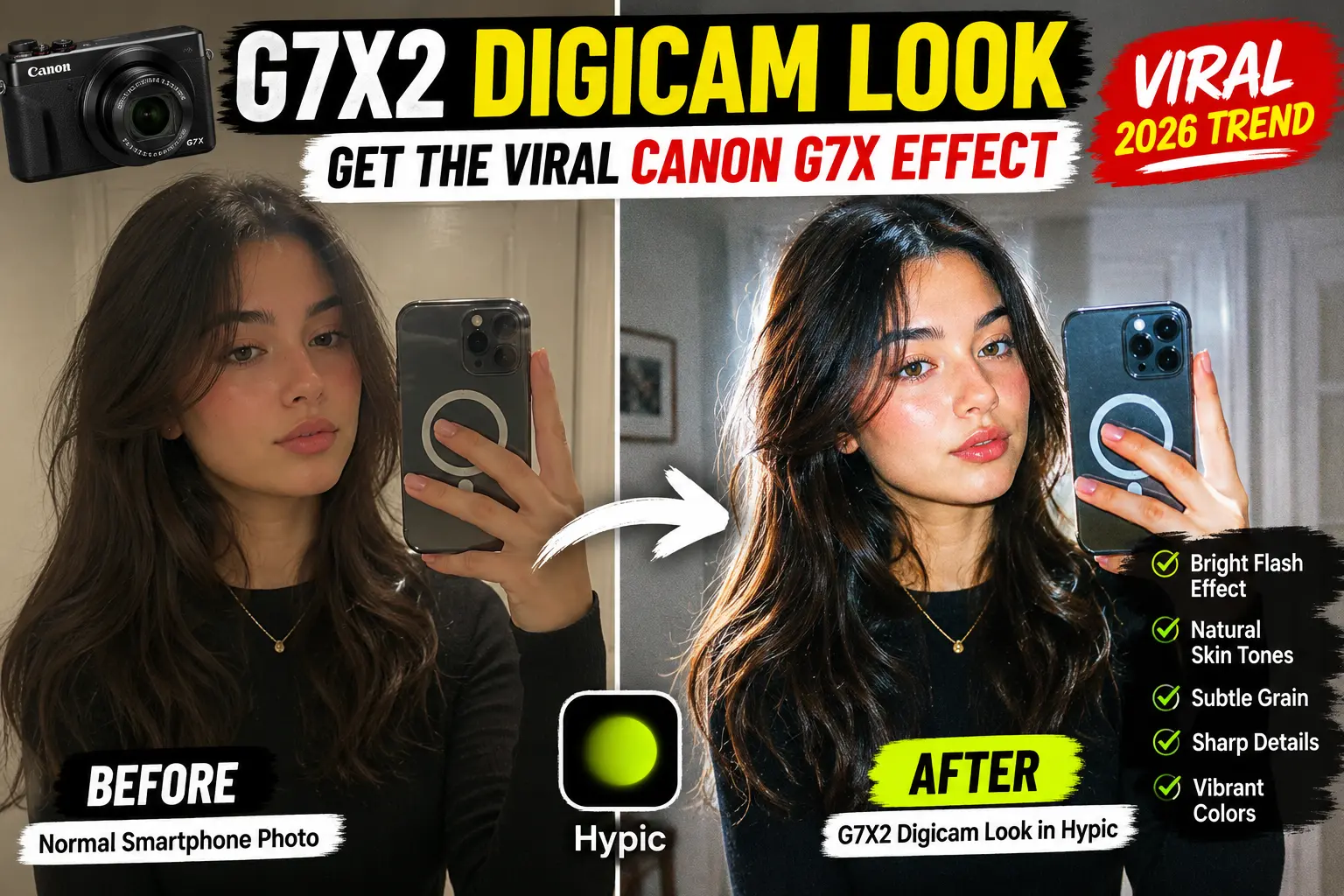
The G7X2 Digicam Look in Hypic is a viral editing style inspired by the popular Canon G7X Mark II camera. This aesthetic combines bright flash photography, natural skin tones, soft highlights, subtle grain, and sharp details to create images that feel both nostalgic and professional.
The good news is that you don’t need an expensive camera to achieve this look. Using Hypic’s filters and editing tools, you can recreate the famous Canon G7X effect directly on your phone.
In this guide, you’ll learn exactly how to create the G7X2 Digicam Look, which Hypic tools work best, the ideal settings to use, and common mistakes to avoid.
This trend is just one of the latest Hypic features that have become popular among creators looking to achieve professional-quality edits directly from their phones.
Why Is Everyone Obsessed With the G7X2 Digicam Look?
Over the last few years, social media trends have shifted dramatically.
Instead of heavily edited photos with unrealistic colors and excessive filters, creators are now chasing a more authentic digital camera aesthetic.
The Canon G7X Mark II became famous because its photos look:
- Bright and clean
- Natural but polished
- Detailed without looking over-processed
- Perfect for flash photography
- Ideal for selfies and lifestyle content
As a result, thousands of creators now search for ways to recreate the Canon G7X look without actually buying the camera.
That’s where Hypic comes in.
What Is the Canon G7X Mark II?
The Canon G7X Mark II is a compact digital camera widely used by influencers, vloggers, and content creators.
The camera became popular because it produces beautiful photos with:
- Soft highlights
- Natural color tones
- Flattering skin rendering
- Sharp details
- Clean flash photography
Many of the viral Instagram and TikTok photos people admire were captured using a Canon G7X camera.
Since the camera can be expensive, many users recreate the same visual style using editing apps like Hypic.
What Makes the G7X2 Digicam Look Unique?
The G7X2 aesthetic isn’t just about adding grain.
Several elements work together to create the effect.
Bright Flash Appearance
The look often mimics direct flash photography.
Photos appear bright and eye-catching without looking overexposed.
Natural Skin Tones
Unlike many beauty filters, the G7X style keeps skin realistic.
Soft Contrast
Shadows remain visible while highlights stay clean and controlled.
Digital Camera Grain
A small amount of texture creates a genuine digital camera feel.
Sharp Details
The final image appears crisp without looking artificially sharpened.
Can Hypic Create a Realistic Canon G7X Effect?
Yes.
After testing multiple Hypic tools and filters, the best results come from combining subtle grain, moderate brightness adjustments, and natural color enhancement.
While Hypic cannot completely replicate the camera hardware, it can recreate many of the visual characteristics associated with the Canon G7X aesthetic.
For most social media users, the difference is barely noticeable.
How to Create the G7X2 Digicam Look in Hypic
Follow these steps carefully for the best results.
Step 1: Open Your Photo in Hypic
Launch Hypic and select a high-quality image.
This effect works best on:
- Selfies
- Mirror photos
- Lifestyle content
- Travel photography
- Indoor flash shots
Higher-quality photos always produce better results.
If you prefer editing on a larger screen, you can also use Hypic for PC to fine-tune details and compare before-and-after results more easily.
Step 2: Apply a Natural Filter
Navigate to the Filters section.
Look for filters that improve:
- Brightness
- Color depth
- Sharpness
- Contrast
Avoid dramatic filters that completely change the photo.
Remember:
The goal is to imitate a camera, not create an AI-generated image.
If you cannot find certain filters or editing tools mentioned in this guide, check our collection of Hypic old versions to compare feature availability across releases.
Step 3: Use AI Enhance Carefully
Hypic’s AI Enhance feature can improve image quality before you start editing.
Recommended setting:
- AI Enhance: 10%–20%
Avoid pushing it too far because excessive enhancement can remove the authentic camera feel.
Step 4: Increase Exposure
The Canon G7X aesthetic is known for bright and clean photos.
Recommended settings:
- Exposure: +10 to +20
- Highlights: +5 to +15
- Whites: +5 to +10
This creates the signature flash-inspired appearance.
Step 5: Recover Shadow Details
Digital cameras often preserve detail in darker areas.
Adjust:
- Shadows: +10 to +20
- Blacks: +5
This prevents the image from looking overly contrasty.
Step 6: Add Subtle Grain
This is one of the most important steps.
Use Hypic’s Grain tool and keep the effect subtle.
Recommended range:
- Grain: 5–15
Too much grain can make the image appear low quality.
The goal is texture, not noise.
Step 7: Improve Skin Tones
The Canon G7X effect is famous for natural-looking skin.
Recommended settings:
- Warmth: +5
- Saturation: +5
- Vibrance: +10
Avoid excessive smoothing.
Natural skin texture is part of the aesthetic.
Step 8: Increase Sharpness
Digital cameras often produce slightly sharper images than smartphones.
Adjust:
- Sharpness: +10
- Structure: +5
This helps improve overall image clarity.
Step 9: Export at Maximum Quality
Once you’re satisfied with the edit:
- Export in high resolution
- Avoid excessive compression
- Save the original version as backup
This preserves detail and maintains the digital camera effect.
Best Hypic Settings for the G7X2 Digicam Look
| Setting | Recommended Value |
|---|---|
| AI Enhance | 10%–20% |
| Exposure | +10 to +20 |
| Highlights | +5 to +15 |
| Shadows | +10 to +20 |
| Grain | 5–15 |
| Sharpness | +10 |
| Warmth | +5 |
| Vibrance | +10 |
| Saturation | +5 |
These settings create a balanced digital camera aesthetic without making the photo look over-edited.
G7X2 Digicam Look vs DSLR Look
Many people confuse these two styles.
| Feature | G7X2 Digicam Look | DSLR Look |
|---|---|---|
| Style | Casual & Retro | Professional |
| Grain | Slight | Minimal |
| Flash Effect | Strong | Moderate |
| Social Media Appeal | Very High | High |
| Nostalgic Feel | Strong | Low |
If you’re creating content for Instagram or TikTok, the G7X2 Digicam Look often feels more relatable and trendy.
You can also explore our detailed Hypic comparisons to see how Hypic performs against other popular AI photo editing apps.
G7X2 Digicam Look vs Disposable Camera Filter
| Feature | G7X2 Digicam Look | Disposable Camera Filter |
|---|---|---|
| Image Quality | Sharp | Soft |
| Colors | Clean | Faded |
| Grain | Moderate | Heavy |
| Skin Tones | Natural | Vintage |
| Modern Appeal | High | Medium |
The G7X style feels more polished while still maintaining a nostalgic vibe.
Common Mistakes to Avoid
Using Too Much Grain
Heavy grain can destroy image quality.
Over-Smoothing Skin
Real camera photos maintain texture.
Extreme Contrast
Too much contrast removes the soft digital camera appearance.
Excessive Saturation
The G7X look is vibrant but realistic.
Overusing AI Effects
Simple edits often produce the most authentic results.
Best Photos for the G7X2 Digicam Look
This aesthetic works especially well for:
Selfies
Creates flattering skin tones and a premium camera appearance.
Mirror Photos
Perfect for influencer-style content.
Travel Photography
Adds depth and color without looking artificial.
Night Photography
Makes flash photos look vibrant and authentic.
Lifestyle Content
Ideal for Instagram, TikTok, and Pinterest creators.
Frequently Asked Questions
What is the G7X2 Digicam Look?
It is a digital camera-inspired editing style based on the Canon G7X Mark II aesthetic.
Can Hypic recreate the Canon G7X effect?
Yes. Hypic provides tools that can produce a very similar appearance.
Which Hypic tool is most important for this effect?
The Grain tool combined with brightness adjustments usually creates the biggest difference.
Does the G7X2 Digicam Look work for selfies?
Absolutely. It is one of the most popular editing styles for selfies and mirror photos.
Do I need a Canon camera to get this effect?
No. Hypic can recreate many of the same visual characteristics.
Is the G7X aesthetic still popular in 2026?
Yes. It remains one of the biggest photography and social media trends.
Can Android and iPhone users create this look?
Yes. The effect works on both versions of Hypic.
iPhone users can achieve the same G7X2 Digicam Look using Hypic for iPhone, as the editing tools and filters are available across both platforms.
Final Thoughts
The G7X2 Digicam Look in Hypic is one of the easiest ways to recreate the viral Canon G7X effect without spending money on expensive camera equipment.
By combining subtle grain, balanced sharpness, bright highlights, and natural skin tones, you can achieve a photo style that feels authentic, nostalgic, and social-media-ready.
Whether you’re editing selfies, travel photos, lifestyle content, or influencer-style portraits, this trend is worth trying if you want your images to stand out in 2026.