AI Replace in Hypic: Replace Objects in Photos Instantly (2026 Guide)
Quick Answer
Want to remove or replace unwanted objects in your photos without using complicated editing software?
AI Replace in Hypic is an AI-powered editing tool that lets you replace objects, backgrounds, and selected elements in photos with just a few taps. Whether you want to remove distractions, swap objects, or create creative edits, AI Replace can generate realistic results in seconds.
In this guide, you’ll learn how to use AI Replace in Hypic, what it can do, and how to get the best results from this powerful AI editing feature. You can also explore our other AI-powered editing features to discover more ways to enhance your photos.
What Is AI Replace in Hypic?
AI Replace is a smart editing tool that uses artificial intelligence to identify selected objects and replace them with new content based on your instructions.
Instead of manually cutting, masking, or cloning parts of an image, the AI automatically analyzes the scene and generates realistic replacements.
It can be used to:
- Replace unwanted objects
- Change background elements
- Remove distractions
- Add creative objects
- Modify photo compositions
- Create AI-generated edits
The feature is popular among content creators, photographers, and social media users because it simplifies complex photo editing tasks.
Why People Use AI Replace in Hypic
AI Replace has become one of the most useful editing tools in Hypic.
Here are some common reasons people use it.
Remove Unwanted Objects
You can replace distracting items that take attention away from your photo.
Examples include:
- Random people
- Signboards
- Trash bins
- Street clutter
- Unwanted background objects
Create Creative AI Edits
Many users replace ordinary objects with creative alternatives to make photos more unique.
Improve Social Media Photos
Clean and distraction-free images often perform better on Instagram, TikTok, and Pinterest.
Save Time
Instead of spending hours on manual editing, AI Replace can complete the task in seconds.
How to Use AI Replace in Hypic
Follow these simple steps.
Step 1: Open Hypic
Launch the Hypic app and upload the image you want to edit.
For best results, use a high-quality photo.
Step 2: Open AI Tools
Navigate to the AI editing section.
Depending on your app version, the feature may appear under:
- AI Tools
- AI Editing
- Magic Tools
- AI Replace
If you cannot find AI Replace, you may be using one of the older versions of Hypic where this feature is unavailable.
Step 3: Select AI Replace
Tap the AI Replace tool.
The app will ask you to select the object or area you want to replace.
Step 4: Highlight the Object
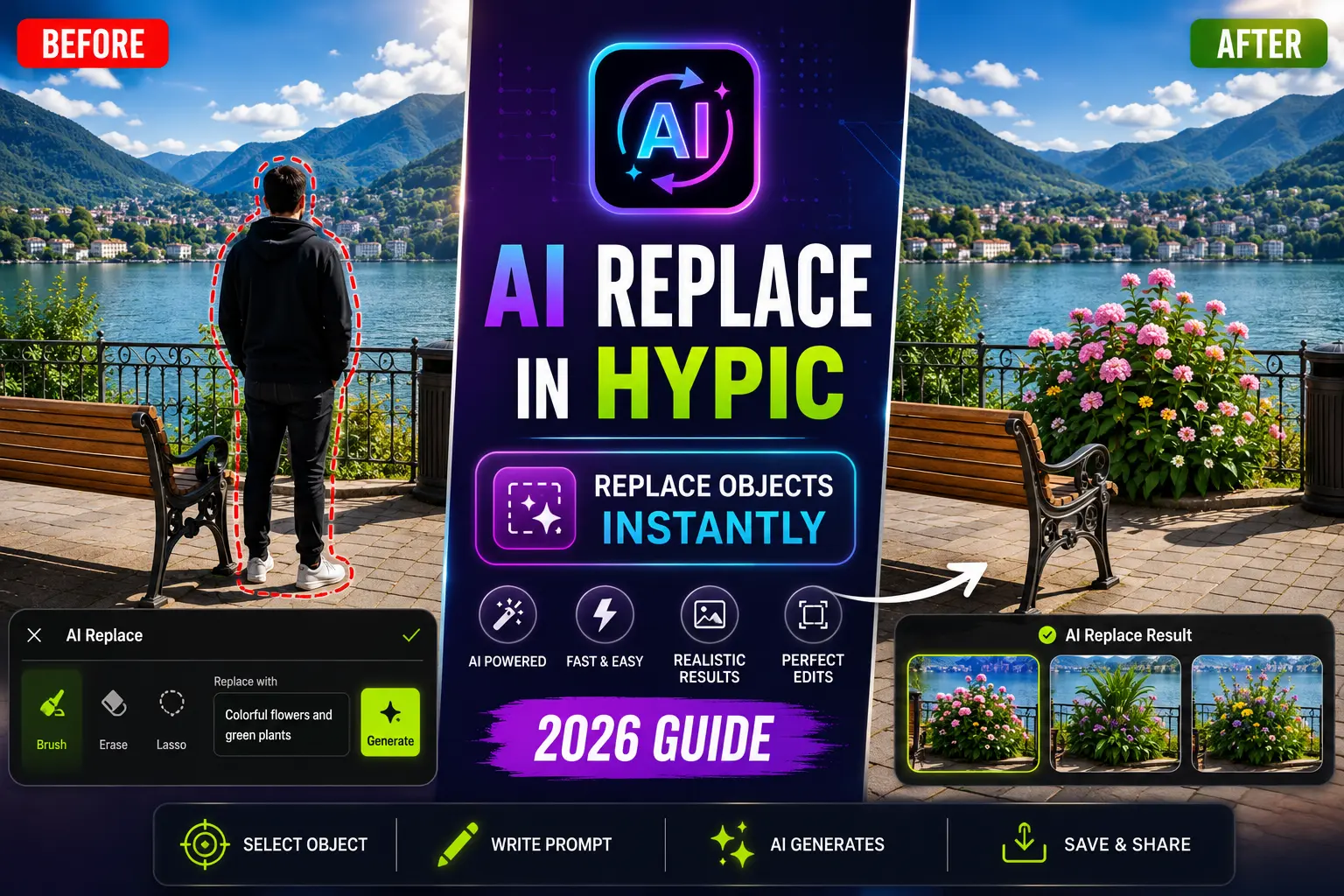
Use the brush tool to mark the object.
Try to cover the object accurately for better results.
Examples:
- Person
- Car
- Chair
- Tree
- Signboard
- Product
Step 5: Enter a Prompt
Describe what you want the AI to generate.
Examples:
- Green plants
- Modern lamp
- Wooden bench
- Tropical flowers
- Luxury sofa
- Clean background
More detailed prompts often produce better results. You can explore our collection of Hypic Prompts for additional ideas and inspiration.
Step 6: Generate the Replacement
Allow the AI to process the image.
The tool will analyze lighting, colors, and surrounding elements before generating a replacement.
Step 7: Save Your Photo
Once satisfied, export the image in high quality.
What Can AI Replace Replace?
The feature can work with many objects.
Common examples include:
- People
- Cars
- Furniture
- Background objects
- Decorations
- Signs
- Accessories
- Landscape elements
Results generally improve when the selected object is clearly visible.
Best AI Replace Prompt Examples
The quality of the result often depends on the prompt.
Basic Prompt
Flower
Better Prompt
Realistic pink flowers with natural lighting and detailed petals
Basic Prompt
Tree
Better Prompt
Large green tree with realistic shadows and summer lighting
Basic Prompt
Bench
Better Prompt
Modern wooden park bench with realistic perspective and natural lighting
Detailed prompts usually generate more realistic results.
AI Replace Before vs After
| Before | After |
|---|---|
| Unwanted Object | Clean Composition |
| Distracting Background | Enhanced Scene |
| Random Elements | Controlled Design |
| Basic Photo | Creative Photo |
| Manual Editing Required | AI-Powered Editing |
This is one reason why AI Replace has become popular among creators.
Best Photos for AI Replace
AI Replace generally works best on:
- Travel photos
- Portraits
- Street photography
- Product photos
- Lifestyle content
- Instagram posts
- Pinterest graphics
Photos with good lighting usually achieve the most realistic results. Many creators prefer to edit photos on a computer when working on detailed AI edits.
Tips for Better AI Replace Results
Use Detailed Prompts
The more specific your prompt, the better the AI understands your goal.
Select Objects Carefully
Accurate selections often produce cleaner results.
Use High-Resolution Images
Higher-quality photos provide more visual information for the AI.
Generate Multiple Versions
If the first result isn’t perfect, generate additional variations.
Combine with Other Hypic Features
Many creators combine AI Replace with:
This often produces more polished results.
Common Problems and Solutions
Replacement Looks Unrealistic
Use a more detailed prompt and regenerate the image.
Object Edges Look Strange
Select the object more accurately before generating.
Lighting Doesn’t Match
Try a prompt that includes lighting descriptions.
Example:
Realistic wooden chair with soft natural sunlight
AI Replace vs Manual Object Removal
| Feature | AI Replace | Manual Editing |
|---|---|---|
| Speed | Fast | Slow |
| Beginner Friendly | Yes | No |
| AI Generation | Yes | No |
| Ease of Use | Excellent | Moderate |
| Time Required | Seconds | Minutes to Hours |
For most users, AI Replace is significantly faster.
Who Should Use AI Replace?
This feature is ideal for:
Content Creators
Create cleaner and more engaging social media photos.
Photographers
Remove distractions and improve compositions.
Online Sellers
Enhance product photos with cleaner backgrounds.
Everyday Users
Edit photos professionally without advanced skills.
Frequently Asked Questions
What does AI Replace do in Hypic?
AI Replace allows users to replace selected objects with AI-generated alternatives using text prompts.
Can AI Replace remove unwanted objects?
Yes. It can replace unwanted objects with new elements generated by AI.
Does AI Replace require prompts?
Yes. Prompts help the AI understand what should replace the selected object.
What photos work best with AI Replace?
High-resolution photos with clear objects and good lighting usually produce the best results.
Is AI Replace beginner-friendly?
Yes. The tool is designed to be easy to use, even for users with no editing experience.
Final Thoughts
AI Replace in Hypic is one of the most powerful AI editing tools available in the app.
Whether you want to remove unwanted objects, replace distractions, improve photo compositions, or create creative AI-generated edits, the tool can produce impressive results in just a few taps.
For the best results, use detailed prompts, accurate selections, and high-quality images. You can also explore Hypic Prompts, browse older Hypic versions, and discover more Hypic editing guides to get even better results.