How to Create Stunning AI Double Exposure in Hypic: Step-by-Step Guide 2026
If you want to create AI double exposure photos in Hypic but don’t know where to start, this step-by-step beginner guide is perfect for you.
In this guide, you will learn how to blend two photos together and create creative double-exposure art easily, without needing professional editing skills.
Hypic AI photo editor tools to enhance your edits.”
What Is AI Double Exposure in Hypic? Simple Explanation
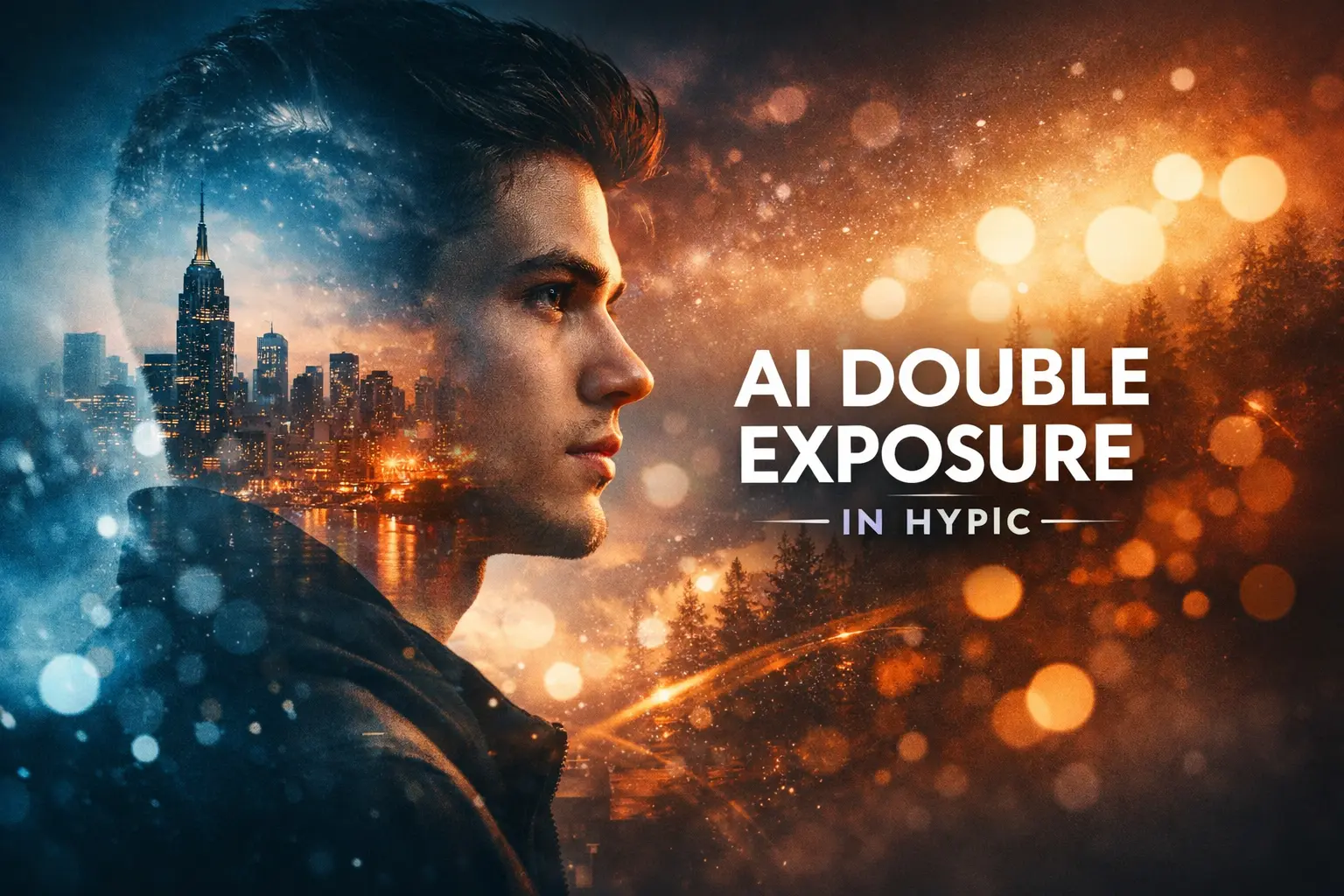
AI Double Exposure is a creative photo editing feature where you blend two images together to create a stunning effect.
Here’s how it works:
✔ Select a main subject — like a person, pet, or object
✔ Choose a background — like a city, forest, sky, lights, or abstract scene
Hypic AI automatically detects the subject, so the blending looks smooth and clean, even for beginners. You can use this feature to create professional-looking double exposure photos for social media posts, creative art, or digital designs.
Why People Love Double Exposure Edits in Hypic
People love Hypic AI Double Exposure edits because they make photos look creative, cinematic, artistic, and professional.
You can use this feature to create unique content that stands out on social media and digital platforms.
Best Uses for Double Exposure Edits:
- Social media posts: Instagram, Facebook, TikTok
- Posters & banners: for marketing or personal projects
- Creative portfolios: for digital artists and photographers
Step-by-Step Guide: How to Create AI Double Exposure in Hypic
If you want to create AI double exposure photos in Hypic, follow these easy steps. This guide is perfect for beginners and makes the process simple.
Step 1: Open the Hypic App
Make sure your app is updated so you get the latest AI tools and features.
“Hypic is available on multiple platforms. If you are using a computer, check Hypic for PC to install and start editing.”
For iPhone users, download Hypic for iOS to access AI double exposure features on your device.”
Step 2: Select Your Main Photo
Choose a high-quality portrait or object image.
Best results come from:
✔ Clear background
✔ Good lighting
✔ Sharp, focused image
Step 3: Open AI Tools
Go to:
AI Tools → AI Double Exposure
Step 4: Add Your Second Image
Select your overlay image, such as:
✔ Nature
✔ City buildings
✔ Sky
✔ Mountains
✔ Abstract shapes
The second image will blend automatically with your main subject, creating a smooth and professional-looking double exposure effect.
Step 5: Adjust Blending in Hypic AI Double Exposure
To make your double exposure photo look perfect, use the blending tools:
✔ Opacity: control how much each image is visible
✔ Blend mode: merge images naturally
✔ Fade level: create a smooth, subtle effect
Try to keep both images slightly visible, not too strong, so the effect looks professional and natural.
Step 6: Adjust Color & Contrast
Adjust brightness, contrast, saturation, and shadows to make both images match perfectly:
✔ Brightness: lighten or darken the photo
✔ Contrast: make the subject and background clear
✔ Saturation: make colors vibrant or subtle
✔ Shadows: add depth and realism
This step gives your double exposure a cinematic and eye-catching look.
Step 7: Save in High Quality
Export your final image in high resolution so it looks sharp and professional on any platform — Instagram, TikTok, Facebook, or your portfolio.
Best Settings for Clean and Professional AI Double Exposure (Recommended)
| Setting | Recommended Value | Why It Works |
|---|---|---|
| Opacity | 50–70% | Keeps both main subject and background visible for a balanced double exposure effect |
| Blend Mode | Overlay / Lighten | Creates a smooth and natural blending between images |
| Contrast | +10 to +20 | Adds depth and dimension, making your photo more cinematic |
| Saturation | −5 to +5 | Maintains natural colors and prevents over-coloring or unrealistic tones |
Pro Tips for Stunning AI Photo Edits
If you want your AI photo edits to look more professional and attractive, follow these simple but effective tips:
- Use portraits with simple backgrounds: A clean background helps the AI tools work better and makes the final result look neater.
- Choose contrast-rich images: Photos with good contrast create stronger and more impressive double exposure and effects.
- Keep colors natural: Natural tones always look more realistic and visually pleasing.
- Don’t over-edit: Too many filters and effects can make your photo look fake and unnatural.
- Try cinematic tones: Balanced and moody colors give your images a premium and professional feel.
By following these tips, you can easily turn ordinary photos into clean, professional, and eye-catching edits.
Not sure how Hypic AI compares to other photo editing apps? See our detailed Comparisons to make the right choice.”
Common AI Photo Editing Mistakes to Avoid
If you want your AI photo edits to look clean and professional, make sure to avoid these common mistakes:
- Using low-quality images: blurry or low-resolution photos ruin the final result
- Keeping opacity too high: too much blending makes the image look unnatural
- Choosing busy backgrounds: complex backgrounds make editing messy
- Using clashing colors: mismatched colors destroy the balance of the photo
- Ignoring lighting direction: wrong lighting makes the edit look unrealistic
Avoiding these mistakes will help your edits look sharper, more natural, and more professional.
Why Hypic AI Makes Double Exposure Editing Easier
Double exposure editing used to be difficult, but Hypic AI makes it simple and fast. The app uses smart AI technology to handle complex tasks automatically.
Hypic AI helps you:
✔ Detect faces and edges automatically
✔ Blend the background smoothly
✔ Avoid rough overlaps and messy edits
✔ Save time with quick results
Because of these features, even beginners can create clean, creative, and professional double exposure designs easily
(FAQs)
Final Thoughts: Start Making Beautiful AI Double Exposure Edits
Hypic’s AI Double Exposure tool makes it easy to create creative and professional-looking photo art. You don’t need advanced editing skills — the AI does the hard work for you, giving smooth blends and clean results.
Using high-quality images and simple settings, you can turn regular photos into cinematic-style double exposure images in just a few minutes.
Whether you are a social media creator, student, influencer, or business owner, this tool helps you make eye-catching and professional AI photo edits easily.
So, open Hypic, try different images and styles, and start creating beautiful edits today!
“For more tutorials and AI photo editing guides, visit our Blog and explore step-by-step tips.”
You Can Also Check: