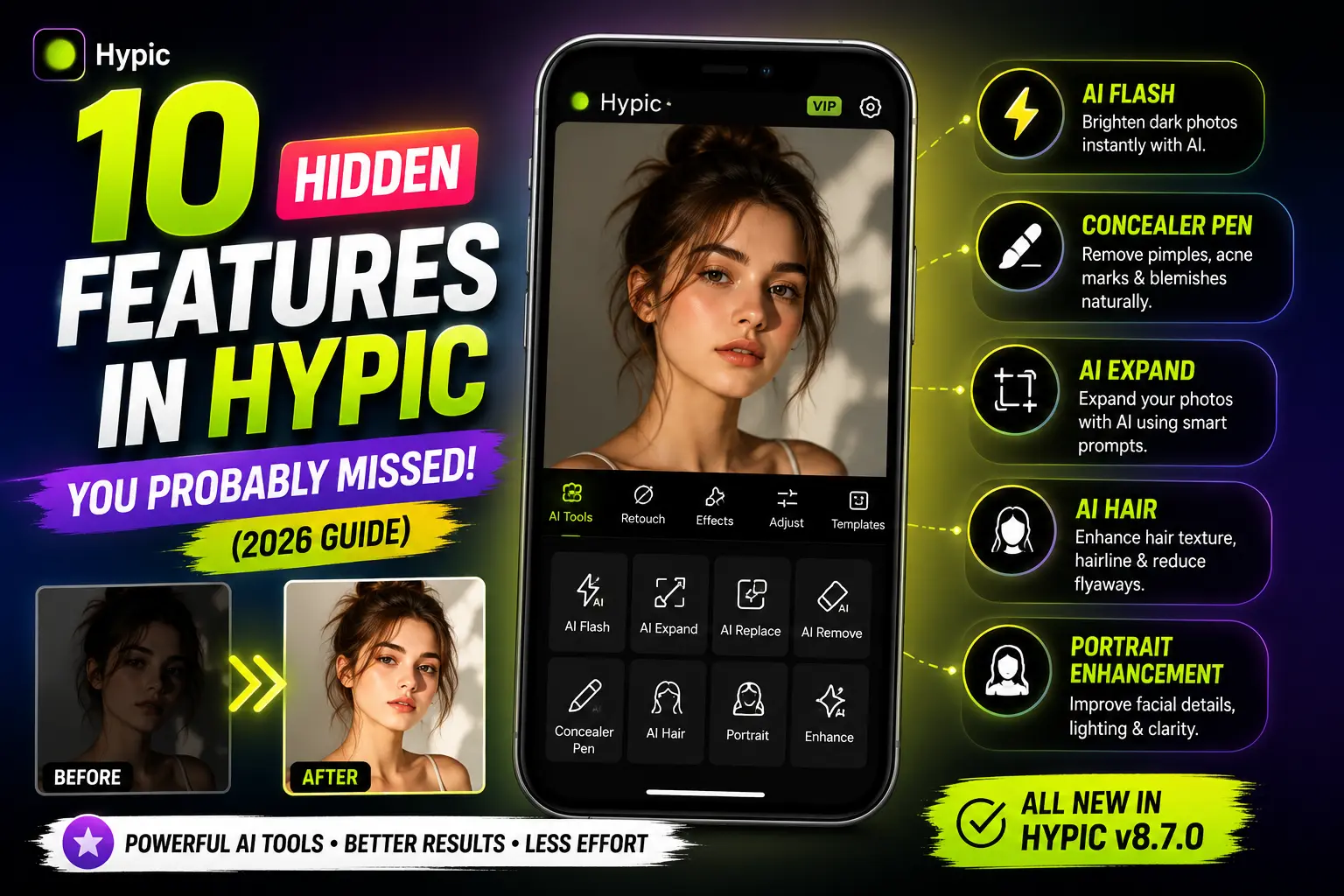
10 Hidden Features in Hypic v8.7.0 You Probably Missed (2026 Guide)
Quick Answer
Hypic v8.7.0 includes several powerful AI tools that many users never discover. Features like AI Flash, Concealer Pen, AI Hair Enhancement, advanced AI Expand prompts, portrait optimization, and smart object-aware editing can significantly improve photo quality with minimal effort. If you’re only using filters and basic adjustments, you’re likely missing some of Hypic’s most useful features.
Introduction
Think you’ve already explored everything Hypic has to offer?
Most users stick to filters, beauty effects, and basic AI editing tools. However, Hypic v8.7.0 includes several hidden features that can dramatically improve your editing workflow and help you create more professional-looking photos.
Some of these tools are buried inside editing menus, while others are often overlooked because most tutorials focus on popular features only.
Whether you’re editing selfies, portraits, Instagram posts, TikTok content, or aesthetic photography, these hidden Hypic features can help you get better results with less effort.
If you’re new to the app, explore our complete Hypic tutorials and guides in the Blog section before trying these advanced features.
Let’s explore the features many users completely miss.
1. AI Flash for Dark Photos
One of the most useful hidden features in Hypic v8.7.0 is AI Flash.
Many users manually increase brightness and exposure when editing dark photos. While that can work, it often causes loss of detail or unwanted noise.
AI Flash automatically analyzes:
For a deeper look at how AI Flash works, check our detailed comparison between AI Flash and Remini.
- Shadows
- Exposure
- Facial visibility
- Lighting balance
- Overall image clarity
Instead of making multiple manual adjustments, you can improve low-light photos with a single tap.
Best For
✅ Night photography
✅ Indoor selfies
✅ Underexposed portraits
✅ Social media content
Why It’s Worth Trying
In many situations, AI Flash creates a more balanced result than simply increasing brightness manually, especially when facial details are difficult to see.
2. Concealer Pen for Instant Skin Cleanup
Most users rely on beauty filters for skin retouching.
However, the Concealer Pen is often a better option for removing small imperfections while keeping the photo natural.
It can help reduce:
- Pimples
- Acne marks
- Dark spots
- Minor blemishes
Instead of blurring the entire face, the AI focuses only on specific areas, which helps maintain natural skin texture.
We also published a complete guide explaining how to remove pimples naturally using Concealer Pen in Hypic.
Why Most Users Miss It
Many creators jump directly to beauty filters and never explore the detailed retouching tools available inside the portrait section.
3. AI Hair Enhancement
Hair editing is one of the least discussed features in Hypic.
The AI Hair tool helps improve:
- Hair texture
- Hairline appearance
- Stray hair visibility
- Overall hair consistency
This feature works particularly well for close-up selfies and portrait photography where hair details are more noticeable.
Best Use Cases
- Profile pictures
- Portrait photography
- Influencer content
- Professional headshots
4. AI Expand Works Better with Detailed Prompts
Most people use AI Expand and let the app generate background extensions automatically.
What many users don’t realize is that detailed prompts can dramatically improve results.
Basic Prompt
Beach
Better Prompt
Realistic tropical beach during sunset with palm trees, golden sky, cinematic lighting, ultra-detailed scenery
The AI generally performs better when it receives clear instructions about the environment, lighting, and style.
Pro Tip
Describe:
- Location
- Lighting
- Mood
- Colors
- Camera style
The more context you provide, the better the generated background often becomes.
Need inspiration? Browse our collection of AI Expand prompts designed specifically for Hypic users.
5. Smart Facial Detail Enhancement
Hidden inside Hypic’s portrait tools is a facial enhancement system designed to improve portrait quality automatically.
It can optimize:
- Eye sharpness
- Facial clarity
- Skin tone balance
- Lighting consistency
- Portrait details
Many users apply filters and skip these portrait-specific enhancements entirely.
iPhone users can access similar AI editing features through our iOS installation guide.
For selfies and close-up portraits, the difference can be surprisingly noticeable.
6. One-Tap Background Expansion Isn’t Just for Cropped Photos
Most people use AI Expand to recover missing parts of an image.
However, it can also be used creatively to:
- Create wallpapers
- Design YouTube thumbnails
- Improve Instagram posts
- Generate wider landscape photos
- Create content for social media banners
This versatility makes AI Expand one of the most powerful tools available in Hypic.
7. AI Object-Aware Editing
One hidden strength of Hypic is its object-aware editing technology.
Instead of applying identical adjustments everywhere, the AI can recognize different parts of an image such as:
- Faces
- Hair
- Backgrounds
- Objects
- Lighting regions
This allows edits to look more natural and realistic compared to traditional one-size-fits-all filters.
Many users benefit from this technology without even realizing it’s working in the background.
8. Combine Multiple AI Tools for Better Results
Experienced editors rarely rely on a single AI feature.
Instead, they combine several tools together.
Effective Editing Workflow
Users editing on larger screens can also install Hypic on desktop devices for a more comfortable workflow.
- Apply AI Flash
- Use Concealer Pen
- Improve hair with AI Hair
- Apply Portrait Enhancement
- Export at high quality
This layered editing approach often produces significantly better results than using one tool alone.
Why It Works
Each feature focuses on a different aspect of the image, resulting in a cleaner and more polished final photo.
9. Portrait Retouching for Social Media Content
If you create content for social media, portrait optimization can be one of the most valuable hidden features in Hypic.
It works well for:
- Instagram photos
- TikTok thumbnails
- Profile pictures
- LinkedIn portraits
- Creator branding images
Small improvements in facial clarity and lighting can make a noticeable difference in how professional a photo appears.
10. Hidden Performance Improvements in v8.7.0
Not every useful improvement is visible.
If you’re still using an older release, compare available versions before upgrading.
Alongside editing features, Hypic v8.7.0 introduced several behind-the-scenes enhancements, including:
- Faster AI processing
- Improved app stability
- Better export performance
- More accurate portrait detection
While these updates don’t receive much attention, they contribute to a smoother editing experience overall.
Feature Comparison Table
| Feature | Best For | Difficulty |
|---|---|---|
| AI Flash | Dark Photos | Easy |
| Concealer Pen | Skin Retouching | Easy |
| AI Hair | Hair Enhancement | Easy |
| AI Expand | Background Generation | Medium |
| Portrait Enhancement | Selfies & Portraits | Easy |
| Object-Aware Editing | Natural Results | Automatic |
Why Most Users Never Discover These Features
There are three main reasons why these tools remain hidden.
1. They Only Use Filters
Many users never explore the AI editing section beyond basic effects.
2. Features Are Buried Inside Menus
Some tools require navigating through multiple editing categories before they become visible.
3. Most Tutorials Focus on Popular Features
Many YouTube videos cover filters and beauty tools but rarely explain advanced AI features.
As a result, some of Hypic’s most powerful tools remain largely undiscovered.
Which Hidden Feature Is the Best?
If you’re only going to try one feature, start with:
🏆 AI Flash
It delivers one of the biggest visual improvements with minimal effort.
For portrait editing:
🏆 Concealer Pen
For creative image expansion:
🏆 AI Expand with Detailed Prompts
Final Verdict
Hypic v8.7.0 offers much more than filters and beauty effects.
Features like AI Flash, Concealer Pen, AI Hair Enhancement, advanced AI Expand prompts, portrait optimization, and object-aware editing can significantly improve your editing workflow and help create more professional-looking photos.
The surprising part is that many users never discover these tools because they’re hidden inside menus or overshadowed by more popular features.
If you’ve only been using basic editing options, exploring these hidden Hypic features may completely change the way you edit photos.
Frequently Asked Questions
Which hidden feature is best in Hypic v8.7.0?
AI Flash is widely considered one of the most useful hidden features because it can improve dark photos with a single tap.
Where can I find AI Flash in Hypic?
The location may vary by version, but it is typically available within Hypic’s AI editing tools section.
Is AI Hair available in all Hypic versions?
Feature availability can vary depending on the app version and device. Newer releases generally include more AI-powered editing tools.
Can AI Expand generate completely new backgrounds?
Yes. Detailed prompts can help AI Expand create realistic and creative background extensions beyond the original image.
Which Hypic feature is best for selfies?
Portrait Enhancement, AI Flash, and Concealer Pen are among the most useful tools for improving selfies.
Can AI Expand work without prompts?
Yes. However, detailed prompts often provide more accurate and visually appealing results.
Are these hidden features free to use?
Some features may be available for free, while others can depend on the latest update or premium access.
Does Hypic continue adding new AI tools?
Yes. New versions frequently introduce additional AI editing features, performance improvements, and portrait enhancement tools.